 Etappe


Like a Mac app, not like a big iPad
The same trips, people, pets and vehicles as on iPhone and iPad — but used the way you use a Mac.
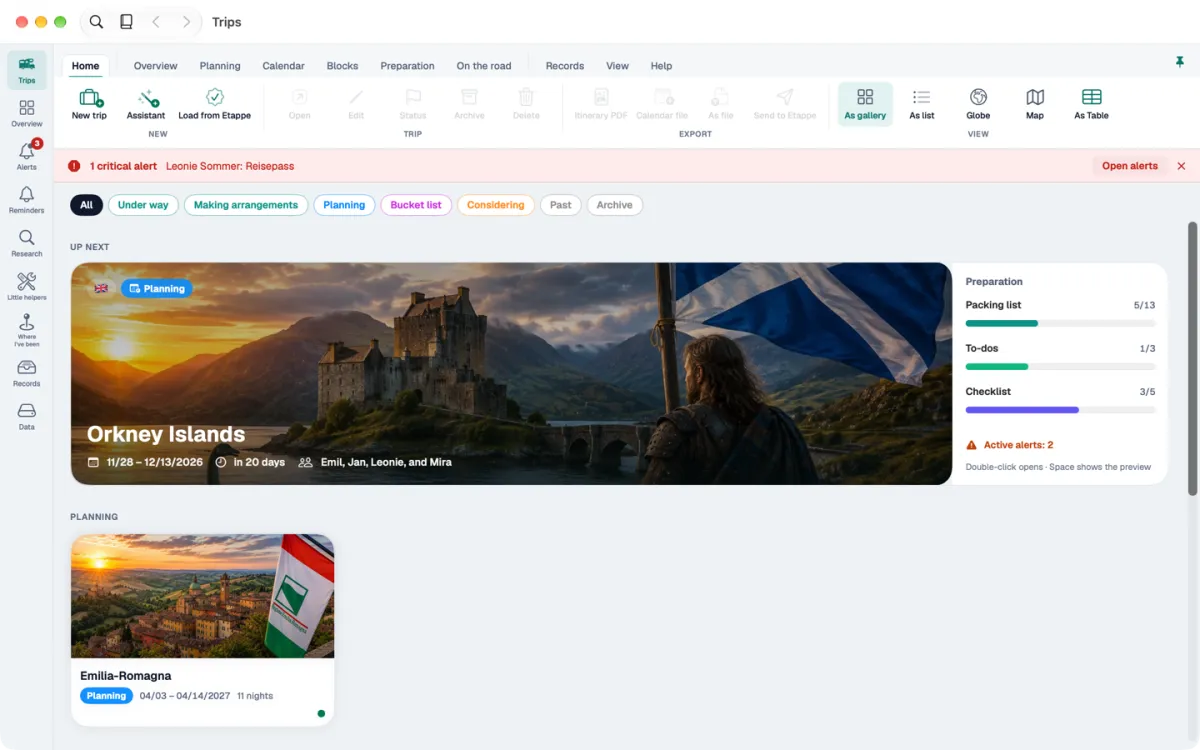
One main window with a ribbon
The app’s sections on the left, a band with tabs and commands at the top. Everything important is one click away.
Forms in their own windows
Several windows open at once — an accommodation next to the calendar, for example.
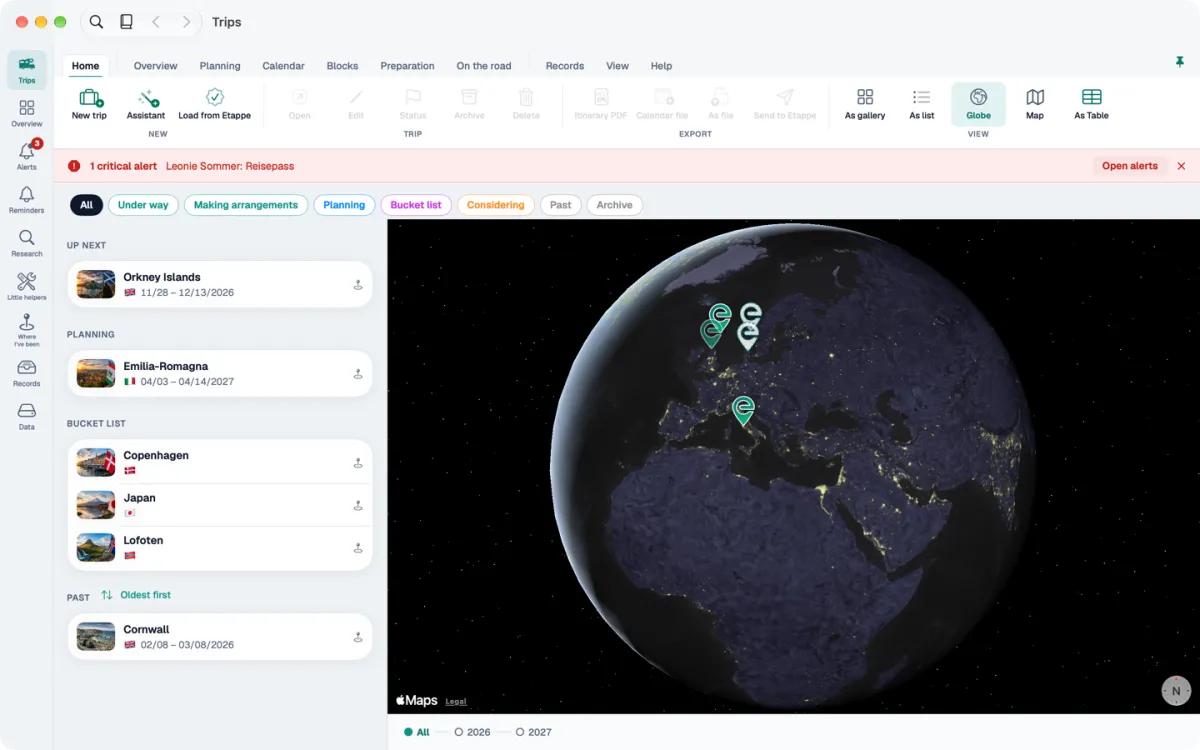
More views
Trips as a gallery, list, globe, map or table. Lists optionally in a compact version with an inspector.
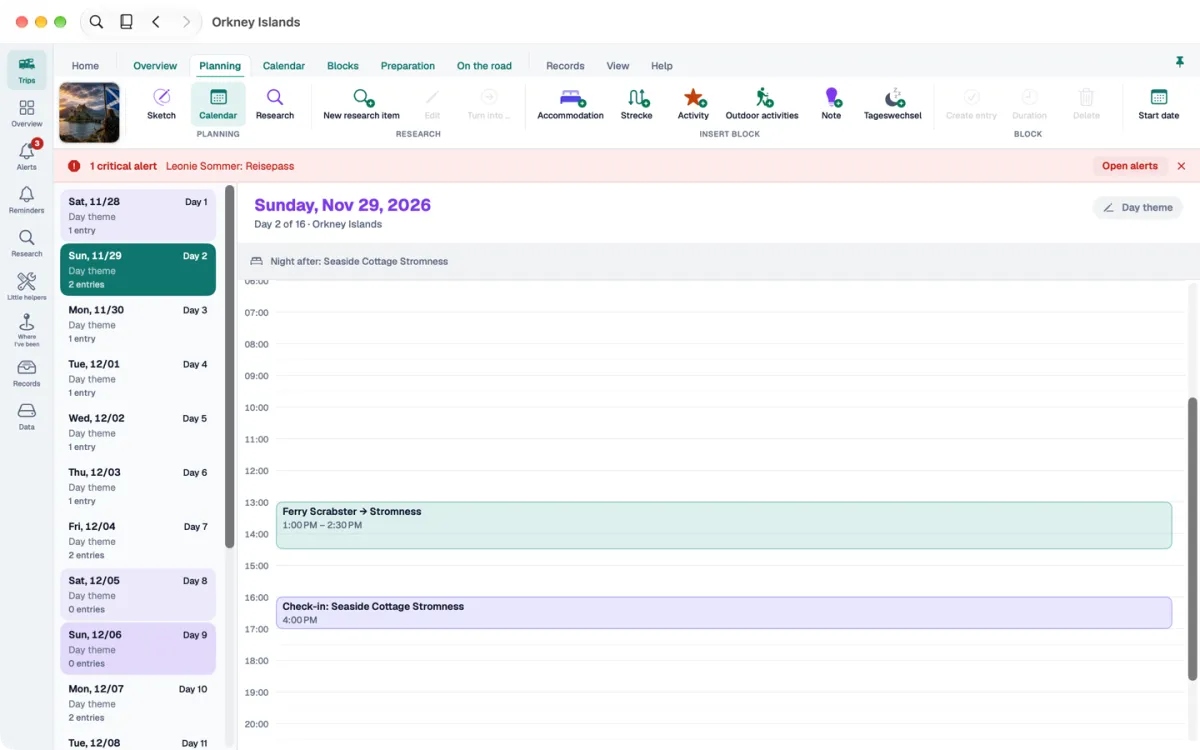
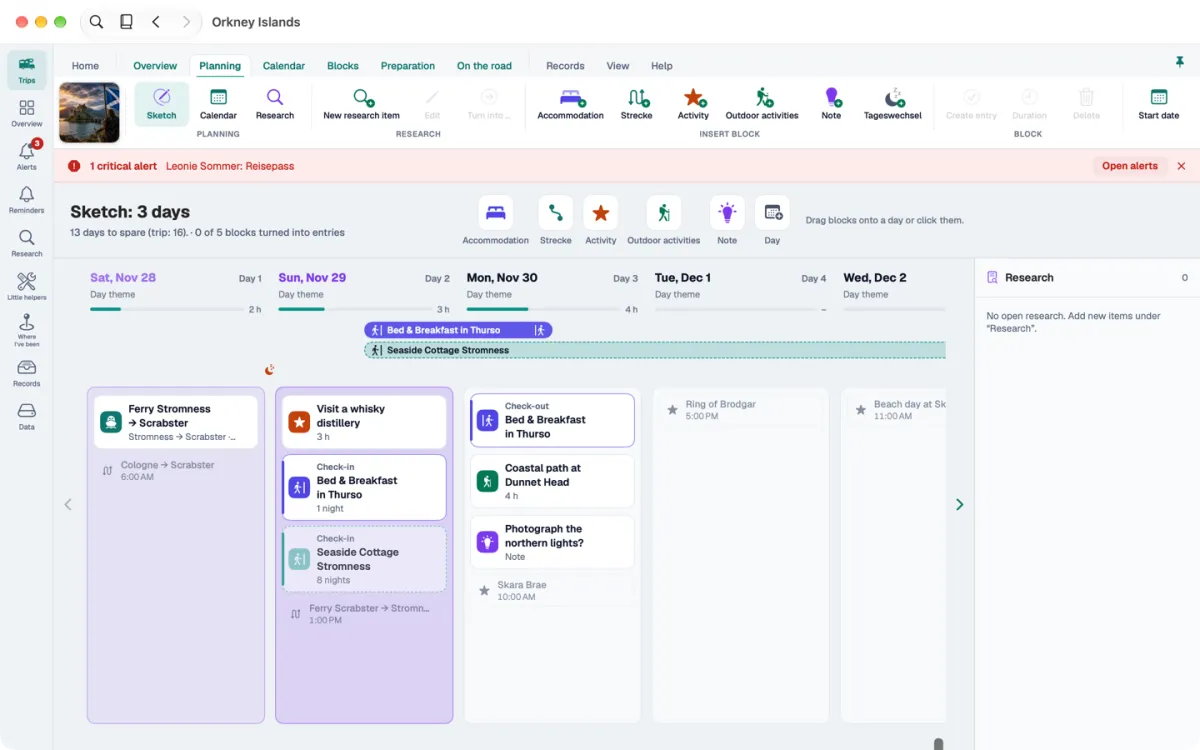
Calendar, sketch, timeline
Sketch the trip day by day and see it in the calendar or on the timeline, from weeks to half a year.
Dashboard
Key figures and maps of your trips at a glance.
Keyboard and drag and drop
Almost everything works without a mouse. Drag and drop photos and files where you need them.
What it looks like on the Mac
Fits with what you already have
The same purchase
The Mac app belongs to the same App Store listing as Etappe for iPhone and iPad. If you already own the full version, you don’t buy anything twice. Without a purchase, the Mac starts its own 14-day trial.
Your trips via iCloud
With the same Apple Account, Etappe syncs your data through your own iCloud. Without iCloud it stays on the Mac. No Etappe server, no account.
Requirements
Macs with Apple silicon, macOS 14 or later. In English, German and French — the app follows your macOS language.
What stays on iPhone and iPad
The Mac app is built for planning and organizing. Route recording, the camera, Apple Watch and quick actions are only on iPhone and iPad — whatever you capture on the road reaches the Mac via iCloud.
And the iPad version?
Until 20 November 2026, Macs with Apple silicon ran the iPad version of Etappe. The Mac app takes its place — in the same App Store listing, and your data stays.