 Etappe
Checked trips
Routes from other Etappe users – checked by us, to load, follow and import into the app.
load · follow · import
To the checked trips →Your travel companion: addresses, booking details, and receipts offline in one place — from the first idea to the retrospective.
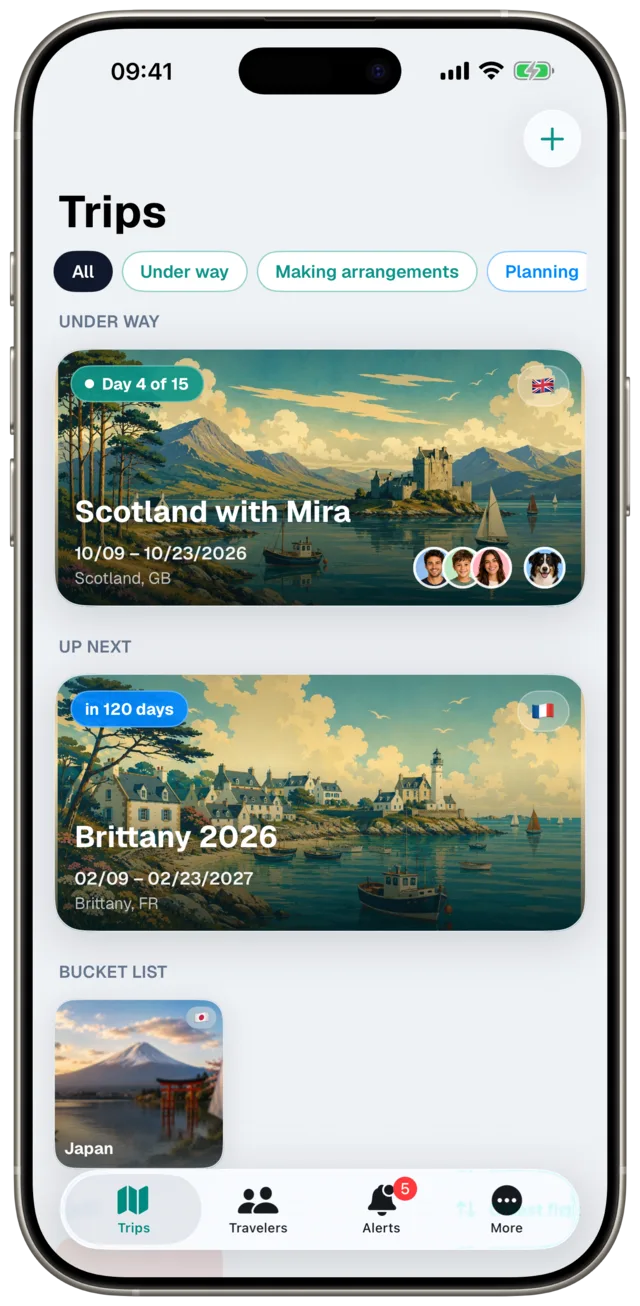

A planner, a companion on the road, and something to look back on — without the clutter of notes, spreadsheets, and loose scraps of paper.
Traveling with a dog? Your dog comes along in Etappe as a full participant: EU pet passport, rabies vaccination including the 21-day waiting period, and the deworming window for countries like Great Britain. Enter the breed, and Etappe warns about entry bans and conditions for restricted breeds in every country of the trip, transit countries included — no guarantee; when in doubt, ask the authorities. See the pet profile in the screenshots
Sketch it roughly first, then plan it in detail: drag blocks, collect research, and turn them into real entries with a swipe. If you prefer, let the trip assistant guide you.
“Today” shows the day’s plan, ready to check off; the calendar shows the whole trip as an agenda or timeline — including overnight stays.
Hotels, ferries, flights, drives, and activities with address, time, and booking number — in local time, even across time zones, and all together on one map.
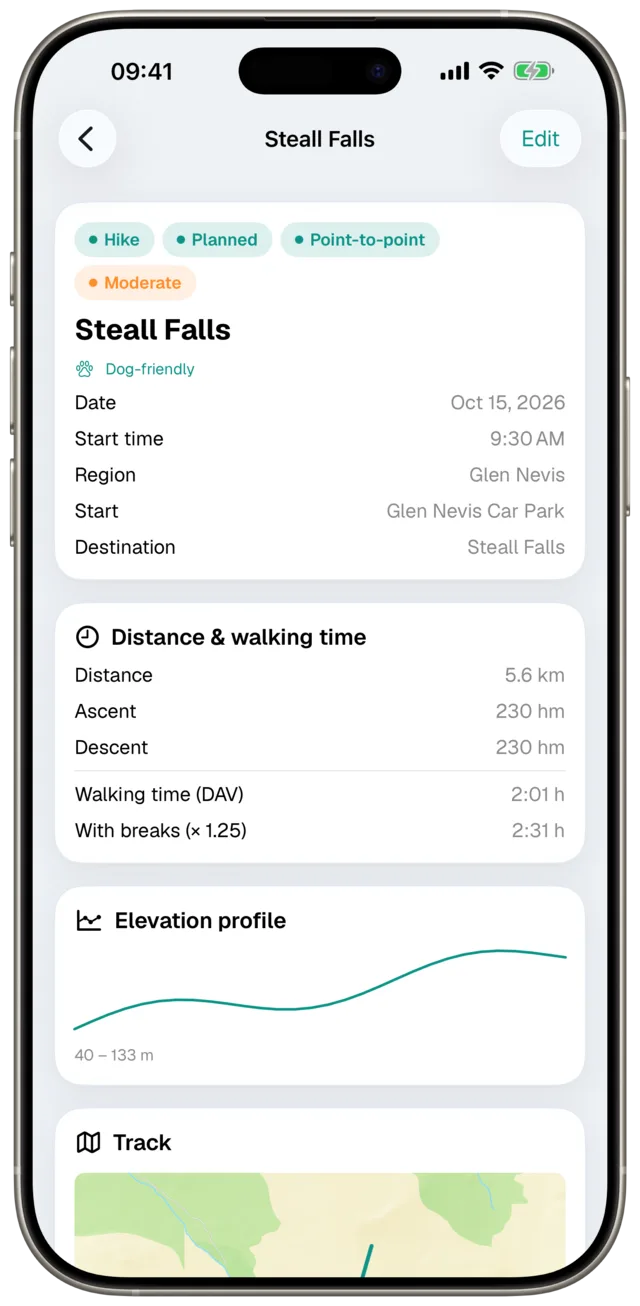
Hiking, mountain hike, via ferrata, bike tour, or city walk — with the track on the map, an elevation profile, and walking time using the DAV formula.
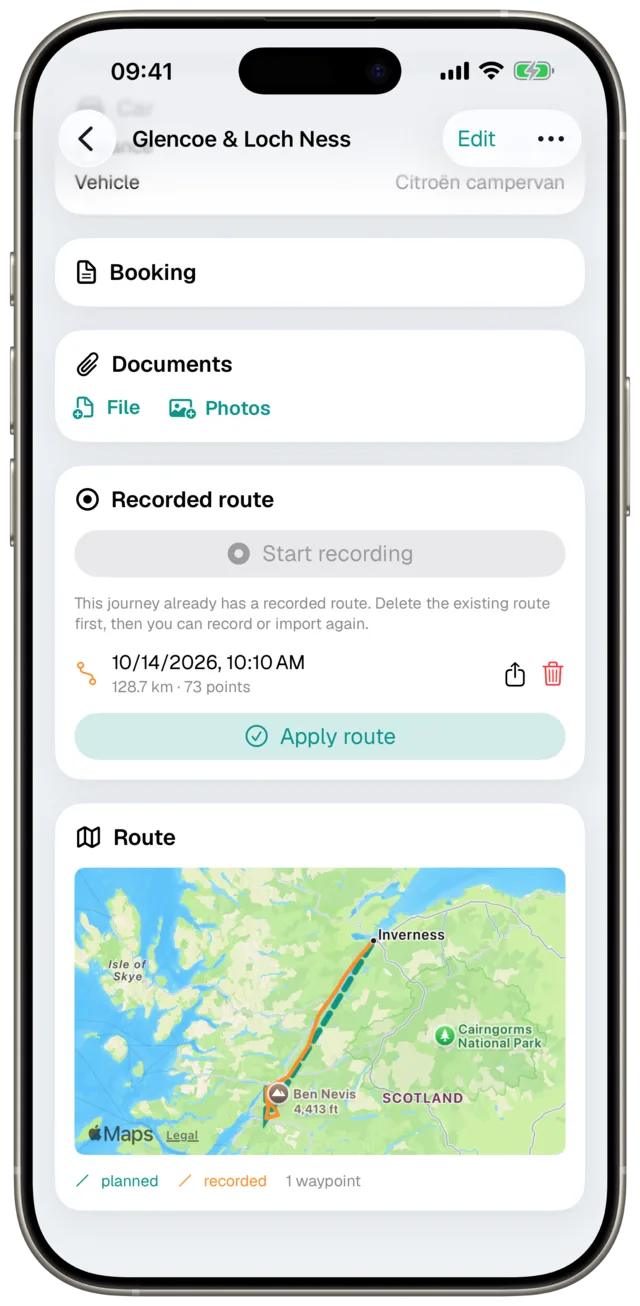
Log the route you actually drove or walked while you are on the road — with distance, duration, and elevation gain. The recording stays on your device.
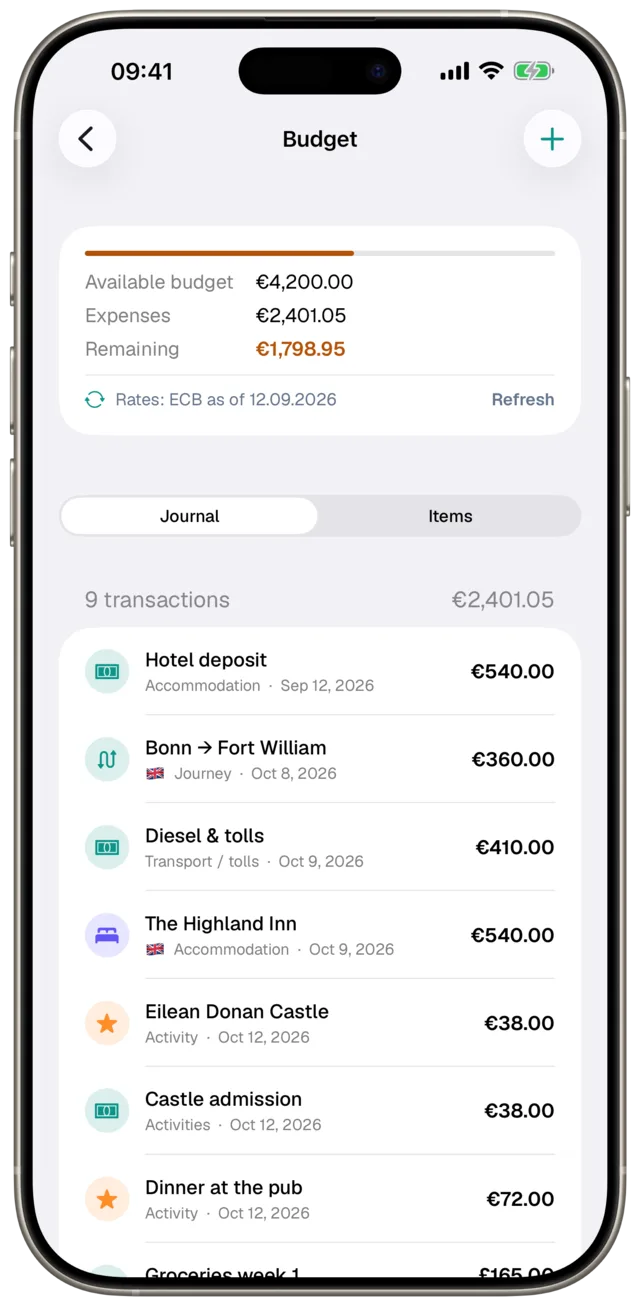
What you planned against what you spent, with a status light per trip. You enter costs in the currency you booked in, along with the deposit and balance for an accommodation — so the budget holds no surprises.
Leave nothing important behind — with reusable templates, a list per person, and a PDF to check off on paper.
Capture your days with photos and a place — Etappe takes the date and location from the photo. Print or share as PDF afterwards.
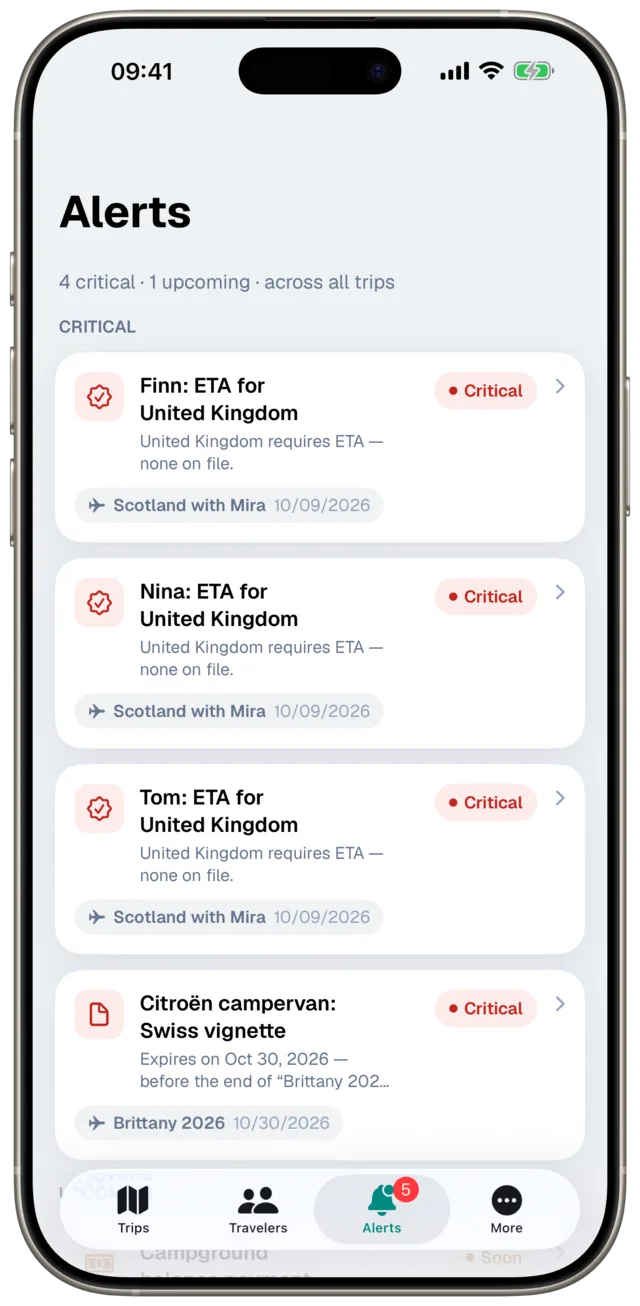
ETA, visa, passport, vaccination, deworming treatment deadline, vehicle inspection, vignette, or balance payment: Etappe checks what is missing or coming due for each trip and participant — and lets you know in advance.
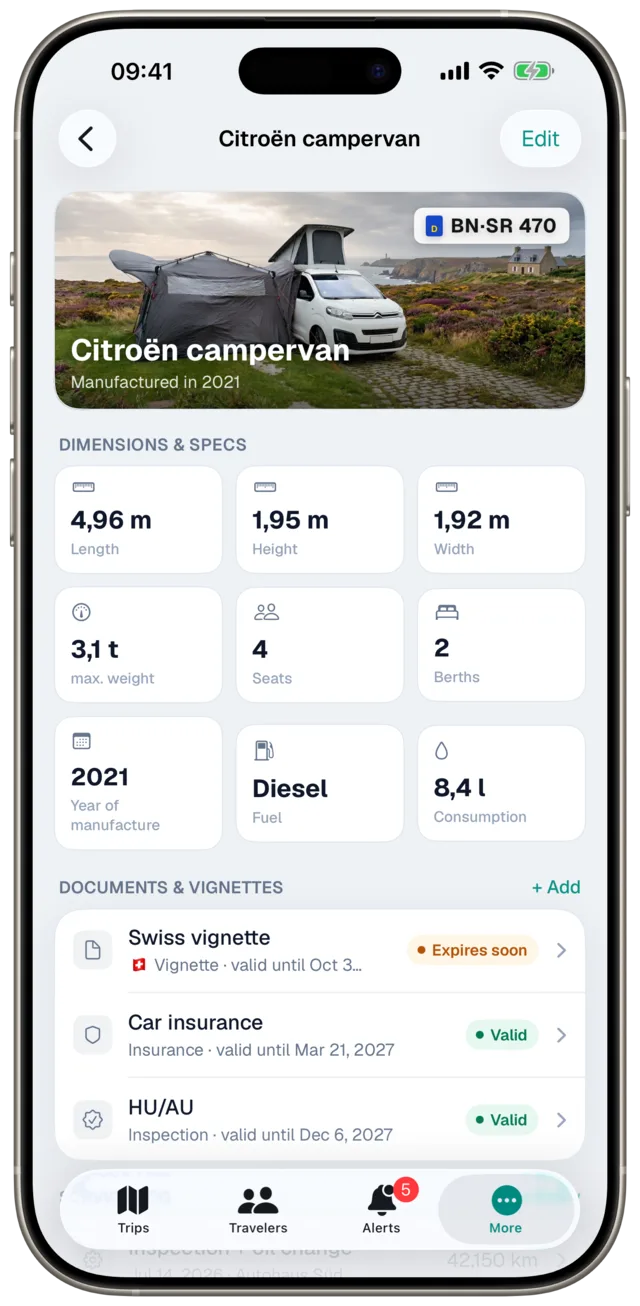
People, dogs, and the motorhome travel along as participants — with ID documents, vaccination certificates, vehicle papers, and a service log. Enter your dog’s breed, and Etappe warns about entry bans and conditions for restricted breeds in every country of the trip, transit countries included. If the car or motorhome pulls a caravan or trailer, you connect both as a towing combination – with the combined dimensions for ferries and pitches; journeys without the trailer can be deselected on the journey.
Bookings and scans right there with you — plus a printable itinerary with one page per day and a calendar export for your dates.
The countries you’ve visited, on a world map — like a scratch map that fills up with every trip.
Deworming, currency, and hiking calculators and a travel dictionary with 155 phrases in 18 languages — without a trip and without a connection, to read aloud or hold up.
Via AirDrop or Mail to fellow travelers, with all dates and bookings, or as a template without booking numbers. No account, no server in between.
With one switch, Etappe stops asking anything on the internet; if you like, iCloud sync pauses too. An airplane at the top right shows that it’s on.
Today and the calendar of the current trip on your wrist, with local time and the time at home, even without a connection. The watch app comes with the iPhone app.
Under New trip › Load from Etappe you’ll find routes by others, checked by us, ready to import with your own start date. Submit your own route: Share › Send to Etappe.

Routes from other Etappe users – checked by us, to load, follow and import into the app.
load · follow · import
To the checked trips →A calm design in teal & emerald. Hover over a screen to see it in dark mode.
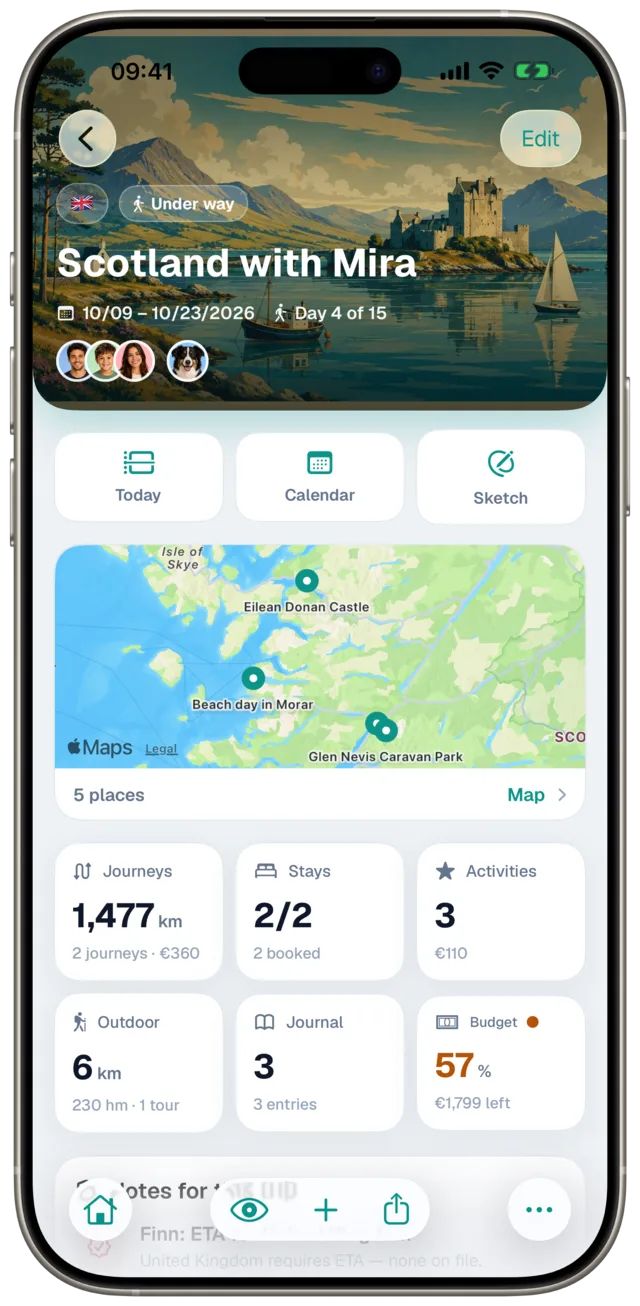
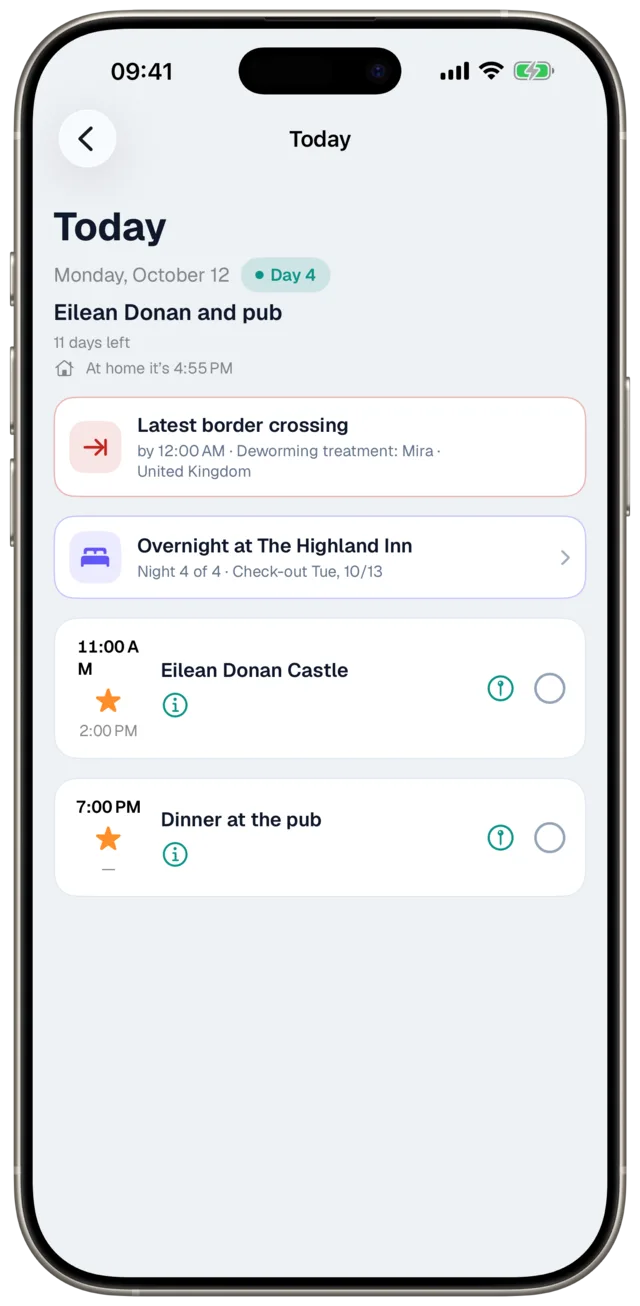
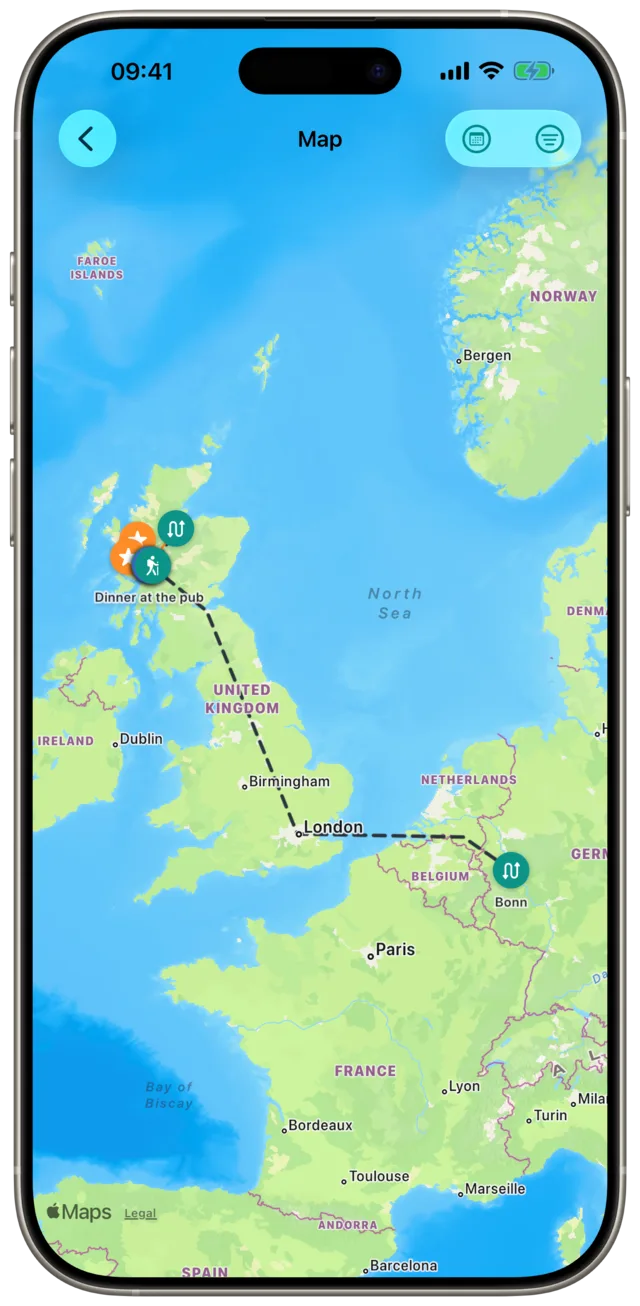
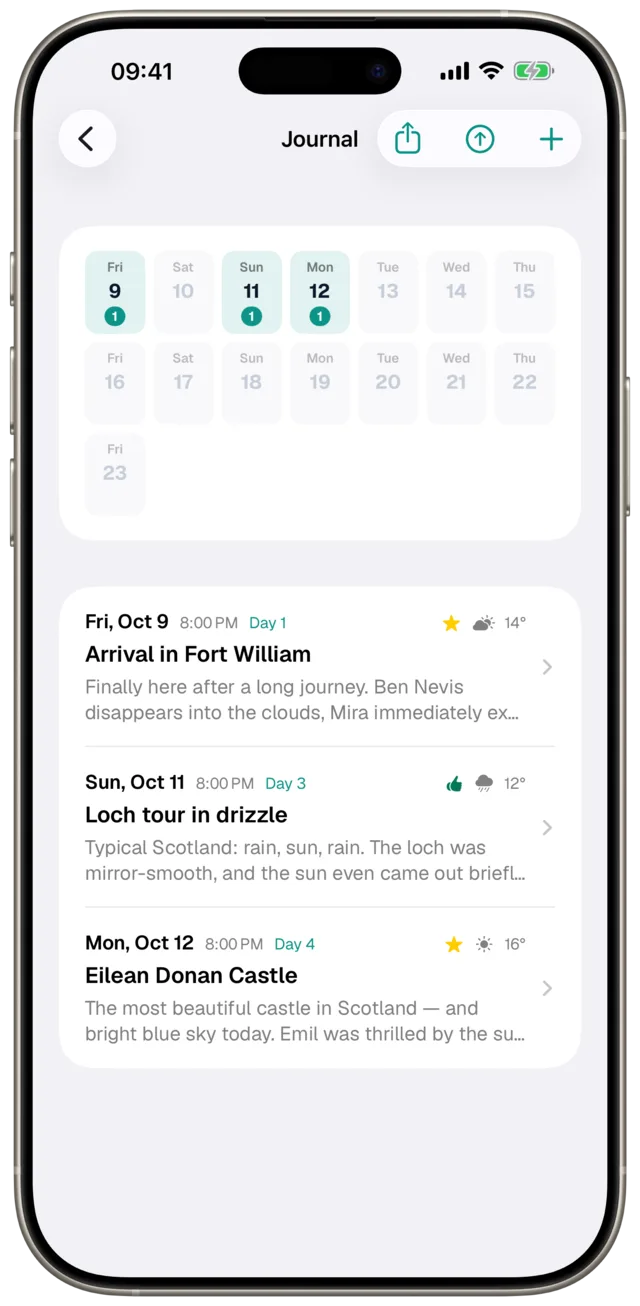
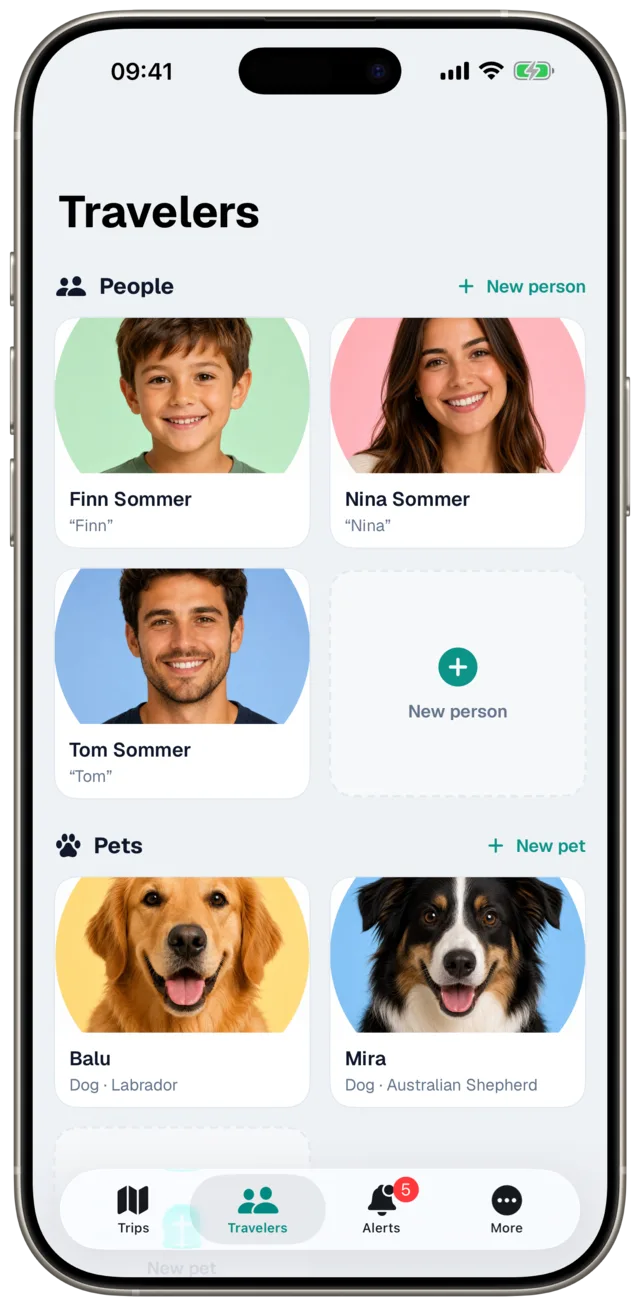
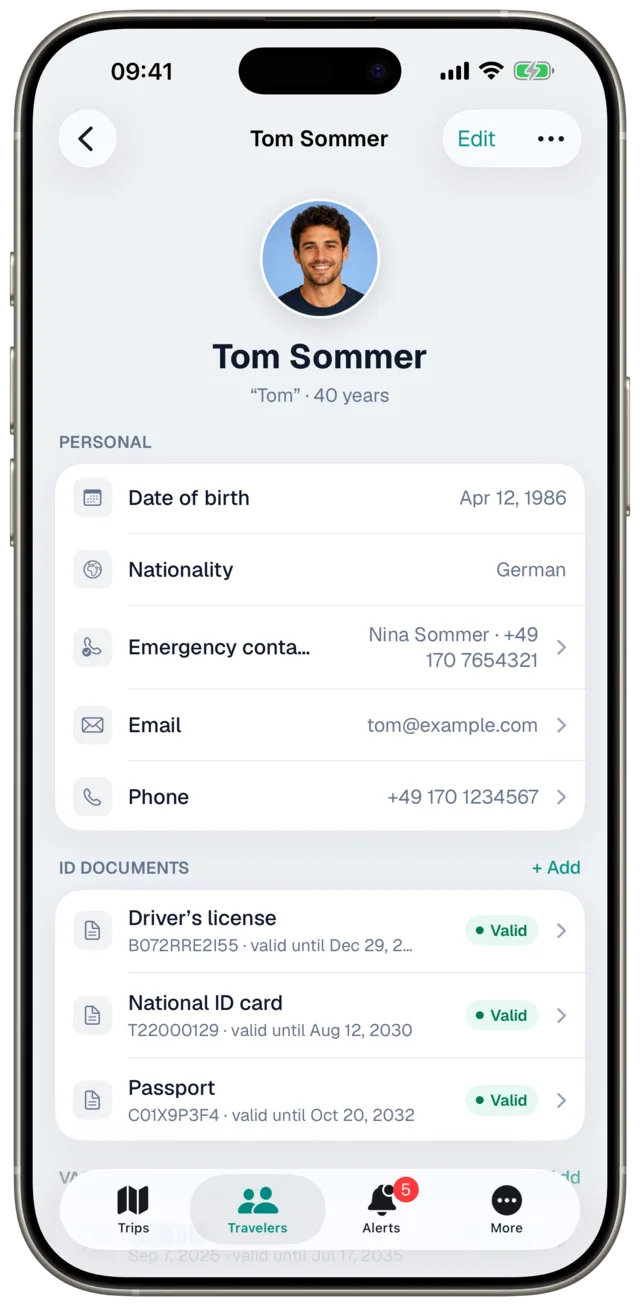
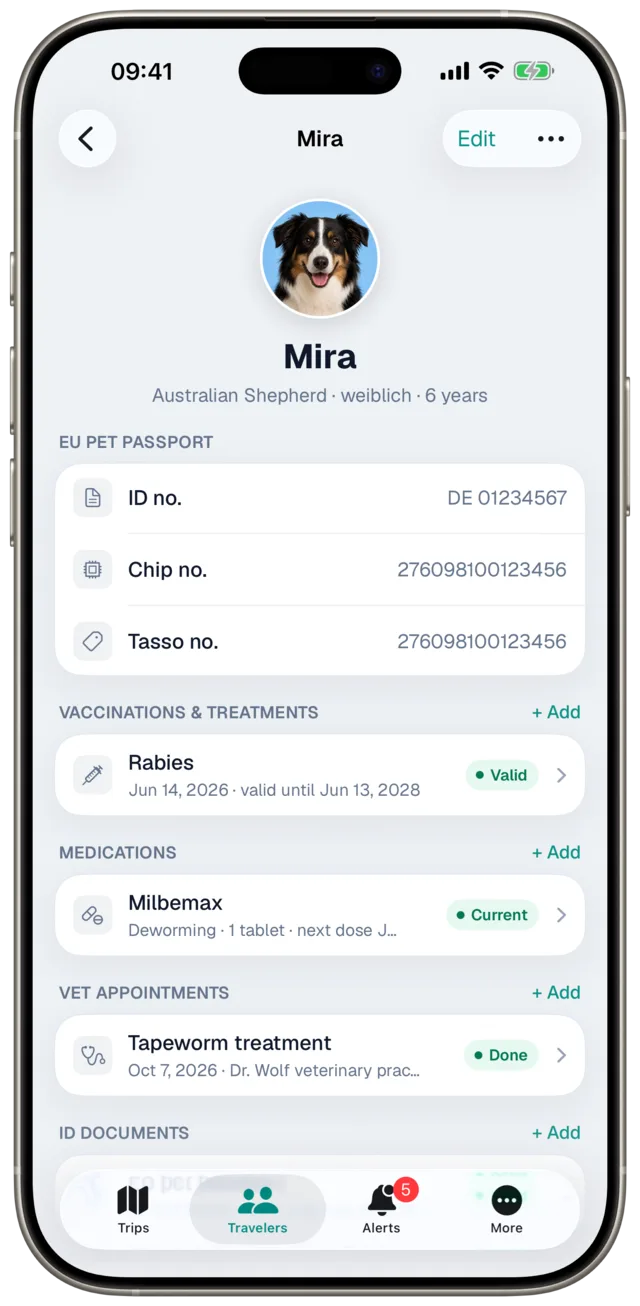
So you know from the start what you’re opening the app for.
Your travel archive—and a planner that thinks along with you.
Left out on purpose—there are other apps for that.
In short: Etappe plans with you and remembers everything—you book where you book anyway.
Etappe works without an account and without ad tracking. Your trips, photos, and documents live on your device—and, if you want, sync privately between iPhone and iPad through your iCloud. There is no server your trips could end up on, and no integration with booking portals or ad networks.
Articles that have reported on Etappe — linked as they are, so you can read them for yourself.

“Where ordinary apps of the genre stop, Etappe is only getting started.”Etappe: a mobile planning tool for trips of all kinds
Original article in German, quote translated.
“A digital data vault as a travel wallet.”etappe – the app for your road trip
Original article in German, quote translated.

“Etappe gets interesting above all for trips that go beyond the classic ‘book a hotel and go’ approach.”Etappe: a digital travel companion for your next road trip
Original article in German, quote translated.
For journalists: Press kit with fact sheet, screenshots, and app icon · info@etappe.app
Short answers to the questions that come up most.
The app is free and fully usable for 14 days after you first open it: every feature, no payment details, no account. After that, a one-time in-app purchase unlocks the full version permanently. One purchase, no subscription, no follow-up costs, no ads.
Nothing is lost. Your trips, photos, documents, and receipts stay fully readable, searchable, and exportable; the backup export and the PDF exports stay free as well. Only creating and editing entries is locked; tapping those actions brings up a note about the full version. If you buy later, you pick up exactly where you left off. The purchase covers all your devices with the same Apple ID and can be restored at any time.
No, and that’s deliberate. Etappe is not a booking portal and not a comparison site: the app doesn’t suggest hotels, doesn’t book flights, doesn’t arrange rental cars, and it isn’t a navigation device either. It’s the place where everything about your trip comes together—the bookings you made yourself, with addresses, times, booking numbers, and receipts. For the drive itself, a tap opens your usual maps app.
No. Etappe sends no trip data to providers, intermediaries, or ad networks; there’s no server for it to land on. No account, no tracking, no analytics SDKs. The only network connections are the map data from Apple Maps when you open a map, and the optional download of the country file from etappe.app.
Yes. All trip data, addresses, booking numbers, documents, and receipts live on the device and are available even without a connection: abroad without roaming, on a plane, or in a dead spot. Only map data and the optional iCloud sync need a connection.
Yes. For every journey you can start a recording while you’re on the go: Etappe records the path by GPS and calculates distance, duration, and elevation gain. You can use the recorded route as the journey’s actual route, or import a finished GPX file instead. The recording stays on your device.
Yes, in the Outdoor activities section: Hike, Long-distance hike, Mountain hike, Via ferrata, Bike tour, Mountain bike tour, Long-distance cycle route, and City walk. Every tour gets its GPX track on the map, plus an elevation profile, distance, photos, and a rating. For the on-foot tour types, Etappe estimates the walking time with the DAV formula from distance and from ascent and descent.
So that “Cancel” really leaves nothing behind. A new entry—an accommodation or an activity, say—is created only when you save it. Photos and receipts are always attached to a saved entry, so nothing is left “dangling” and storage doesn’t fill up with orphaned files. Once the entry is saved, you can add as many receipts, scans, and photos as you like in its detail view.
On your device. Etappe works without an account and without outside servers. If you want, you can sync your trips privately between iPhone and iPad through your own iCloud. On top of that, you can export a backup as a file and restore it at any time.
Yes, as a file. Under Share › “Trip as File” you pass a trip on via AirDrop, Mail, or Files, either to fellow travelers, with all dates, bookings, and costs, or as a template with trip days, without booking numbers and notes. Whoever opens the file creates it as a new trip and picks the start date; travelers, pets, and vehicles don’t come along. Nobody needs an account for this, and the file doesn’t pass through any Etappe server. Since version 1.5 you can also submit a trip to us via Share › Send to Etappe; checked trips by others are under New trip › Load from Etappe.
Yes. Enter your dog’s breed (or explicitly “not a restricted breed”), and Etappe checks every country of the trip — including transit countries of journeys — and warns about an entry ban or about conditions such as a muzzle, a leash or a permit, with a note for each country. The rules for the bundled countries are part of the country file. This is not legal advice and comes without guarantee: when in doubt, ask the authorities of the country.
Yes, since version 1.5.2. You enter accommodations, journeys, and activities in the currency you booked in: the holiday home in kroner, the ferry in pounds. Etappe freezes the rate when you save and shows the amount in your base currency next to it; the trip budget stays in the base currency. For an accommodation you can also enter the deposit and a due date for the balance: Etappe works out the balance, and two weeks ahead the alert “Balance payment” appears until you mark it as paid. Nothing is paid through the app; the alert is only a reminder. More in the manual: 15.3 Costs and currency.
Yes, since version 1.5.1. You add the towing vehicle (car, motorhome, or “Other”) and the caravan or trailer as separate vehicles and connect them on the trip as a towing combination. The trip detail shows the combined dimensions – length and permissible weight added up, width and height taken from the larger vehicle – handy for ferries and pitches, plus the consumption you enter for the combination. Journeys without the trailer can be deselected on the journey; the trailer’s papers and vignettes trigger alerts for the trip just like those of the towing vehicle. Etappe adds up the dimensions and shows them – it does not plan routes for towing combinations or check weight limits or licence categories. More in the manual: 9.9 Towing combination.
Etappe is a native app for iPhone and iPad. On Macs with Apple silicon, the same iPad version has been available from the Mac App Store since September 2026, with the same iCloud sync — a standalone Mac app does not exist yet. Since October 2026, the same iPad app also runs on Apple Vision Pro. Since version 1.5, Etappe is also on Apple Watch (watchOS 10 or later): Today and the calendar of the current trip; the watch app comes with the iPhone app. A version for Android or the web is not planned at present. Whether that changes for Android depends on demand — tell us if you use Android.
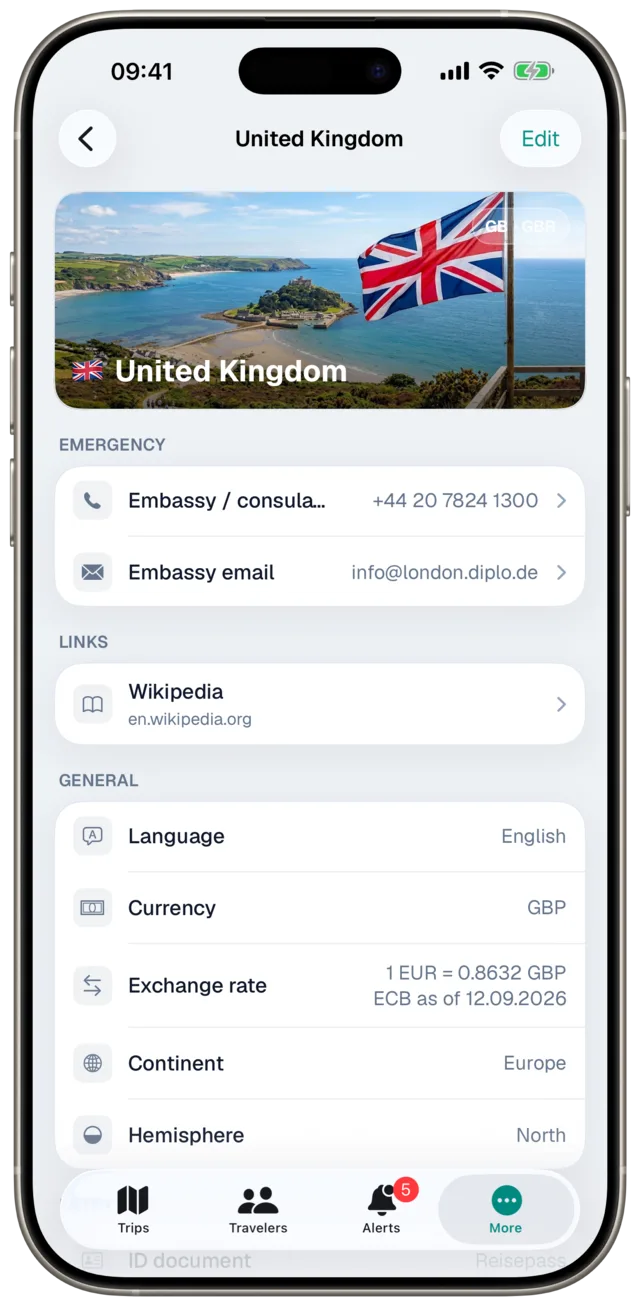
Yes. Etappe is in the App Store worldwide, in German, English, and French. It was built in Germany, and that still shows in three places. First, the bundled country data: if you set Austria or Switzerland as your home country, you get your own embassies, emergency numbers, and the travel advice of the Austrian Foreign Ministry or the Swiss FDFA. Any other country in the world can be chosen as your home country—but for now it sees the German perspective with a note: the German mission, and travel advice from the Federal Foreign Office. You enter your own embassy yourself. Under More › Records › Countries every field can be edited. Important: a later re-import of the country data from etappe.app overwrites these fields again; the file takes precedence. The entry rules and the pet rules themselves apply largely the same way to travelers from the EU and Switzerland.
Second, the currency: you choose your base currency yourself—euros, francs, pounds, kroner. You enter amounts in other currencies with an exchange rate; the app fetches the European Central Bank’s reference rates when you tap for them, never on its own. Third, a few terms such as the national ID card or the German vehicle inspection (TÜV), which go by different names in Austria and Switzerland. If a country you need isn’t there—Liechtenstein, for example—you add it yourself. What’s still open sits right at the top of the Roadmap: embassies and travel advice for the remaining home countries, and neutral terms.
No. You start with your first trip right away: no registration, no ads, no tracking. If you want, you can also lock the app with a code and Face ID / Touch ID.
Yes, please do. New features go to testers as a beta before release. You join through Apple TestFlight, limited to 100 spots: follow the link and install the TestFlight app; Apple explains the rest step by step. Your feedback from TestFlight goes straight to the developer.
Etappe is available for iPhone and iPad; the Mac runs the iPad version. Whether an Android version happens depends on how many people want one — this is where we count. A tap opens your email app, and sending is all it takes. The email is your vote, nothing more: no reply, no newsletter, no sharing.
Etappe is on the App Store — for iPhone and iPad, on the Mac as the iPad version, free to download with a full 14-day trial.
Download on theApp StoreAfter that, a one-time purchase. No subscription, no account, no ads.


