 Etappe
8. Overview#
The overview (⌘2) looks across all trips. On the Mac it has two views, which you switch in the “View” band or in the View menu: Focus and Timeline.
8.1 Focus#
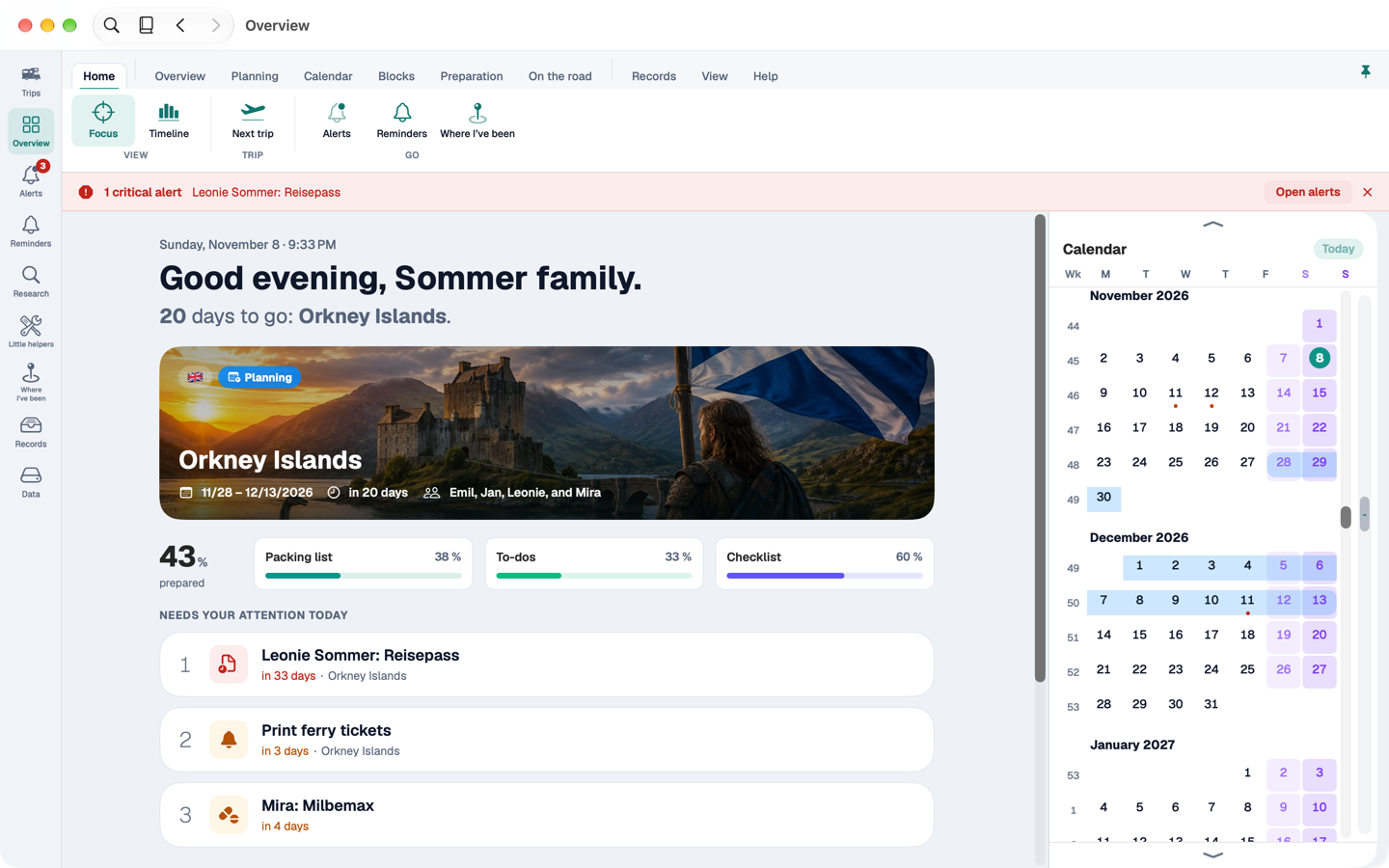
Focus starts with a greeting for the time of day and a sentence about where you stand: how long until the next trip, or which day of the current one it is. Before the trip, a bar shows the preparation; on the road, a day plan with a line for “now”.
Under Needs your attention today are the three most urgent alerts – critical first, then overdue, then due soon. Hover over one to see actions: “Done” and “Later” for reminders, otherwise “Create reminder”. Use ↑ and ↓ to move, ⏎ to jump there, the space bar for a preview.
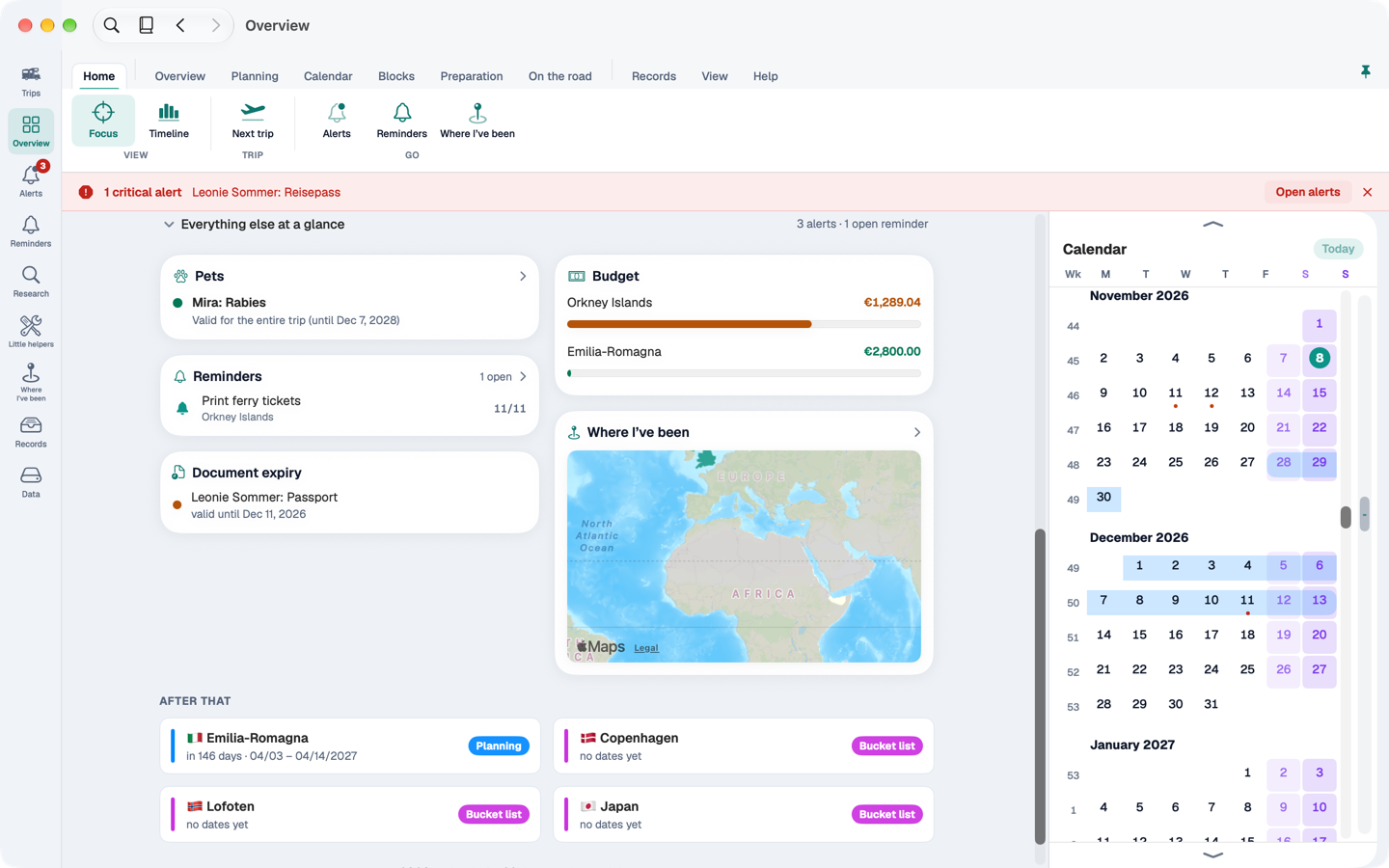
Below, you can expand Everything else at a glance: the cards you know from the overview on iPhone and iPad. Then follow After that and the year in review.
8.2 Endless calendar#
If the window is wide enough, the endless calendar sits on the right: months one below the other, with week numbers, trips as bands in their status colour, deadlines as dots. Click a day to see which trips and deadlines fall on it.
8.3 Timeline#
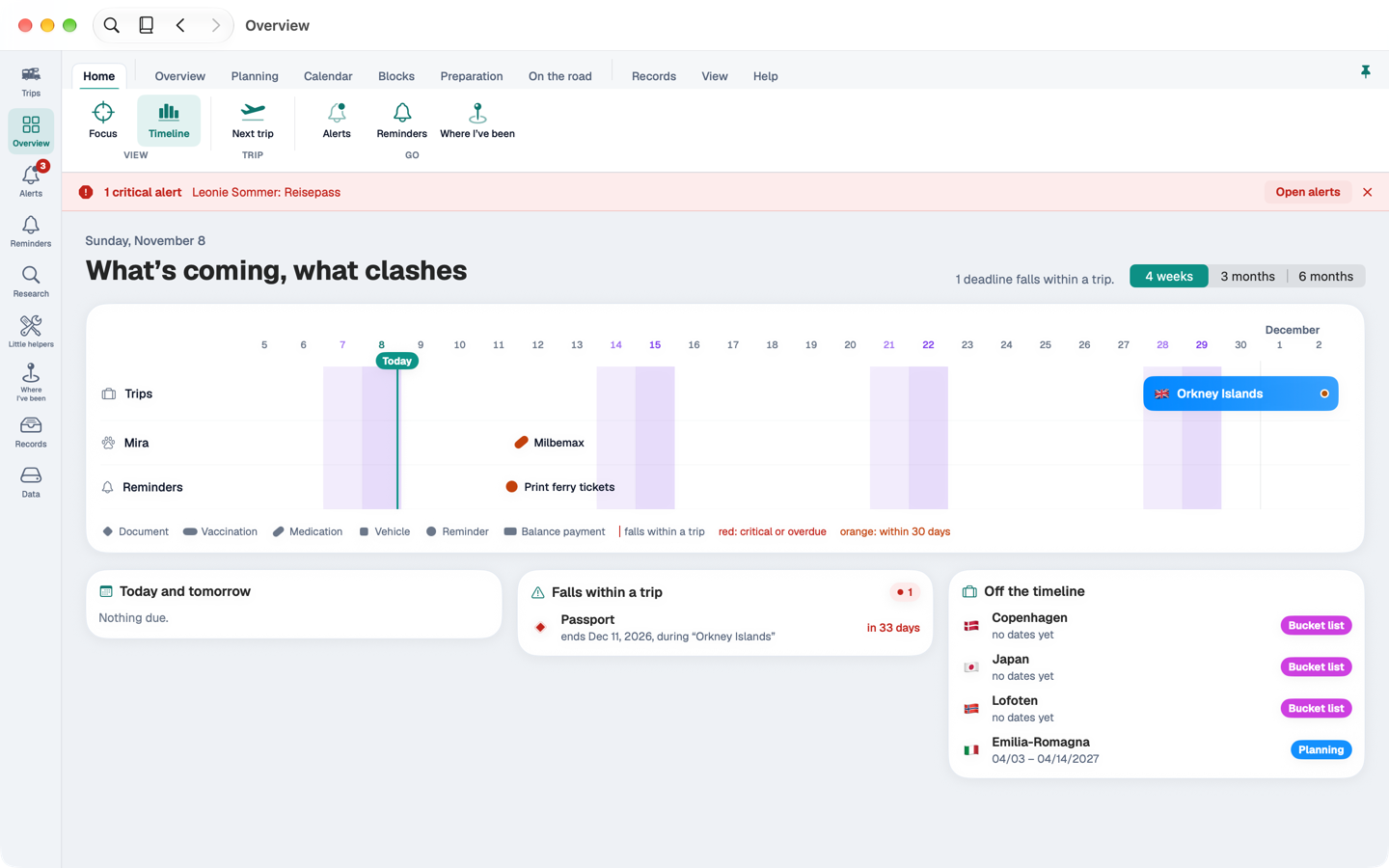
The timeline answers the question: What’s coming, what clashes? At the top are the trips as bars, below them one lane per person, pet and vehicle with their deadlines – expiring ID documents, vaccinations, pets' medication, vehicle papers – and a lane for reminders. If a deadline falls within a trip of its owner, a dashed line connects it to the trip.
Choose the range between 4 weeks, 3 months and 6 months.
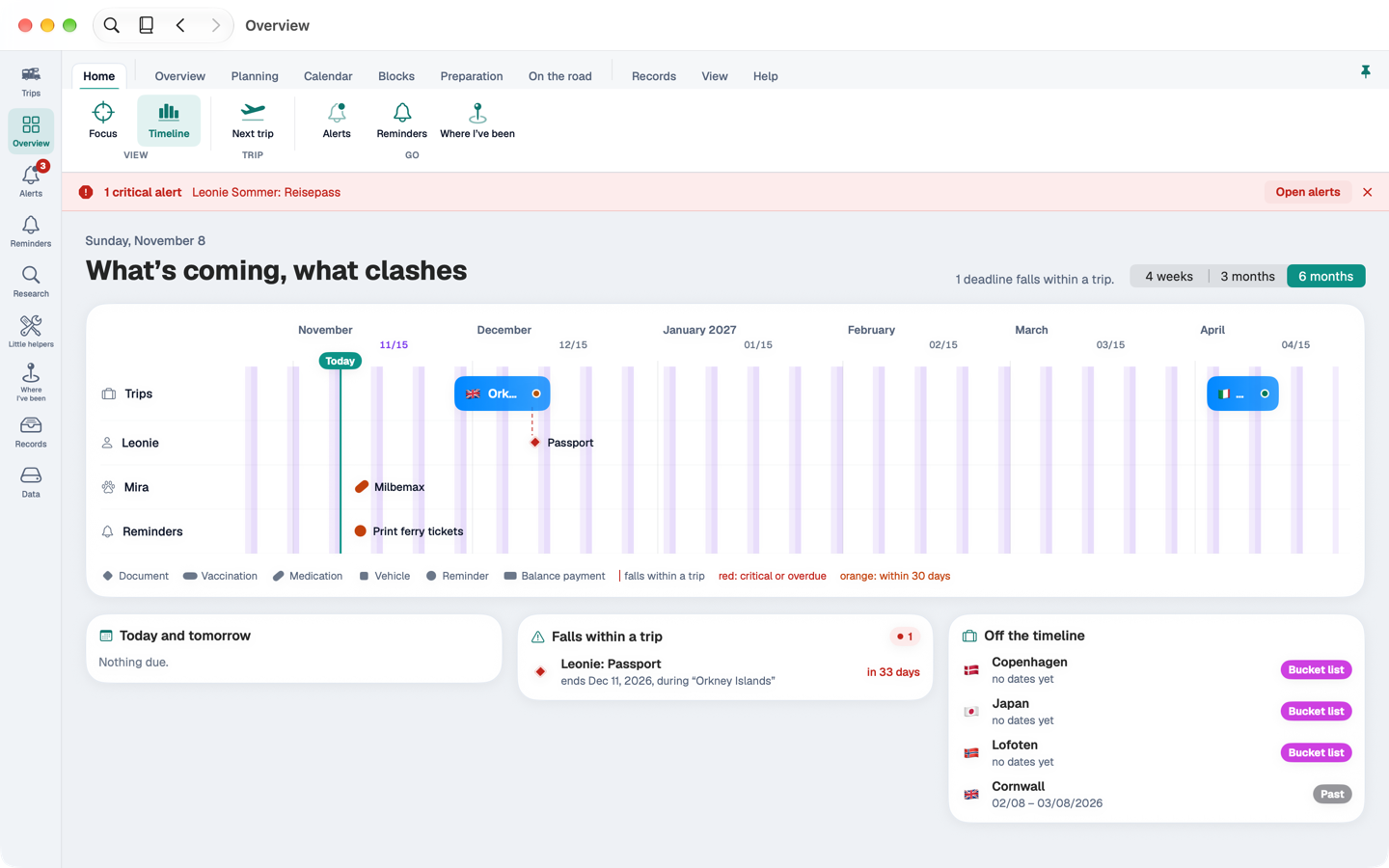
Below the timeline, cards sum up: Today and tomorrow, Falls within a trip, and Off the timeline for deadlines outside the selected range. A click jumps to the owner and selects them.