 Etappe
1. Etappe on the Mac#
Etappe for Mac is a Mac app of its own. It works with the same trips, people, pets and vehicles as Etappe on iPhone and iPad, but it behaves like a Mac program: with windows, a menu bar, keyboard shortcuts, and drag and drop. This manual only covers what is different on the Mac. What an accommodation, a sketch or an alert is, is explained in the manual for iPhone and iPad.
You get Etappe for Mac from the Mac App Store (Installing and switching over).
1.1 What is different from iPhone and iPad#
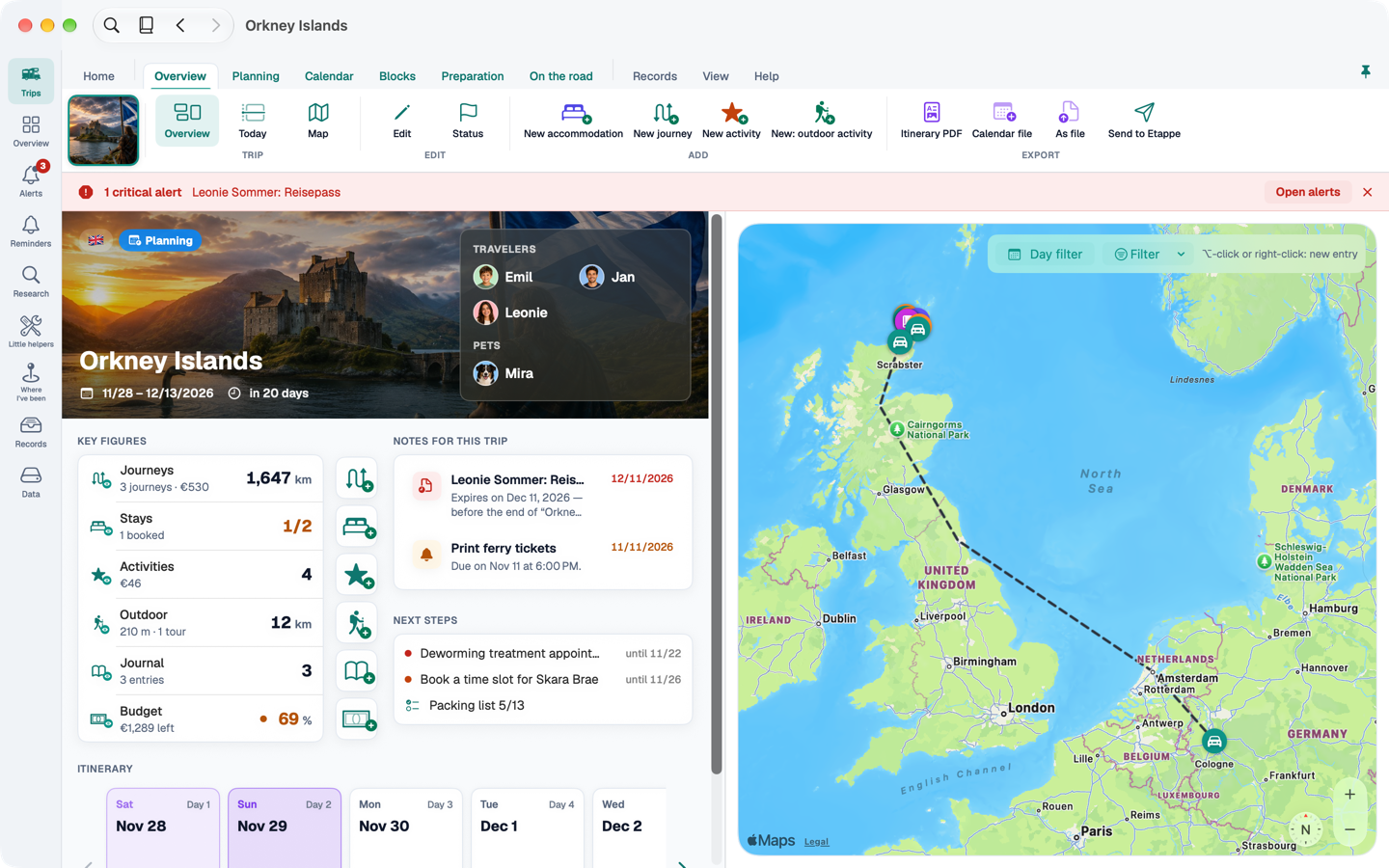
- One main window with a sidebar and a ribbon. On the left are the nine destinations of the app, at the top a band of tabs and commands – more in The main window.
- Forms open in their own windows. You can have several open at once, for example an accommodation next to the calendar (Form windows).
- More views. Trips as a gallery, list, globe, map or table; list sections optionally in a compact layout with an inspector.
- Keyboard. You can reach almost everything without a mouse (Keyboard shortcuts).
- What is missing: recording a journey, the camera, Apple Watch and quick actions exist only on iPhone and iPad (Only on iPhone and iPad).
1.2 Requirements#
Etappe for Mac runs on Macs with Apple silicon on macOS 14 or later. The app is available in German, English and French and follows the language you have set in macOS.
1.3 Purchase and trial#
The Mac app belongs to the same App Store listing as Etappe for iPhone and iPad. If you have already bought the full version, the purchase also applies on the Mac – you don't buy anything twice. Without a purchase, the Mac starts its own 14-day trial; the trial runs per device. You can see where you stand under Etappe → Full version … and in Settings under “Full version”.
As on iPhone and iPad: viewing, sorting, archiving, deleting and exporting stay free after the trial. Only creating and changing entries needs the full version.
1.4 Your data and iCloud#
If you are signed in to macOS with the same Apple Account as on iPhone and iPad, Etappe syncs your data via iCloud. On first launch, the Mac app waits until the first sync has finished before it creates templates, the sample trip or countries – so nothing is created twice. If you don't want to wait, choose “Don’t wait – I’m starting fresh”.
Without iCloud, the data stays on the Mac. There is no Etappe server and no account.