 Etappe
5. A trip#
When you open a trip, its tabs appear in the ribbon. The sixteen sections of a trip are spread like this:
| Tab | Sections |
|---|---|
| At a glance | Overview, Today, Map |
| Planning | Sketch, Calendar, Research |
| Calendar | Commands for the calendar |
| Blocks | Accommodations, Journeys, Activities, Outdoor activities |
| Preparation | Checklist, Packing list, To-dos, Reminders |
| On the road | Budget, Journal, Documents |
5.1 The overview#
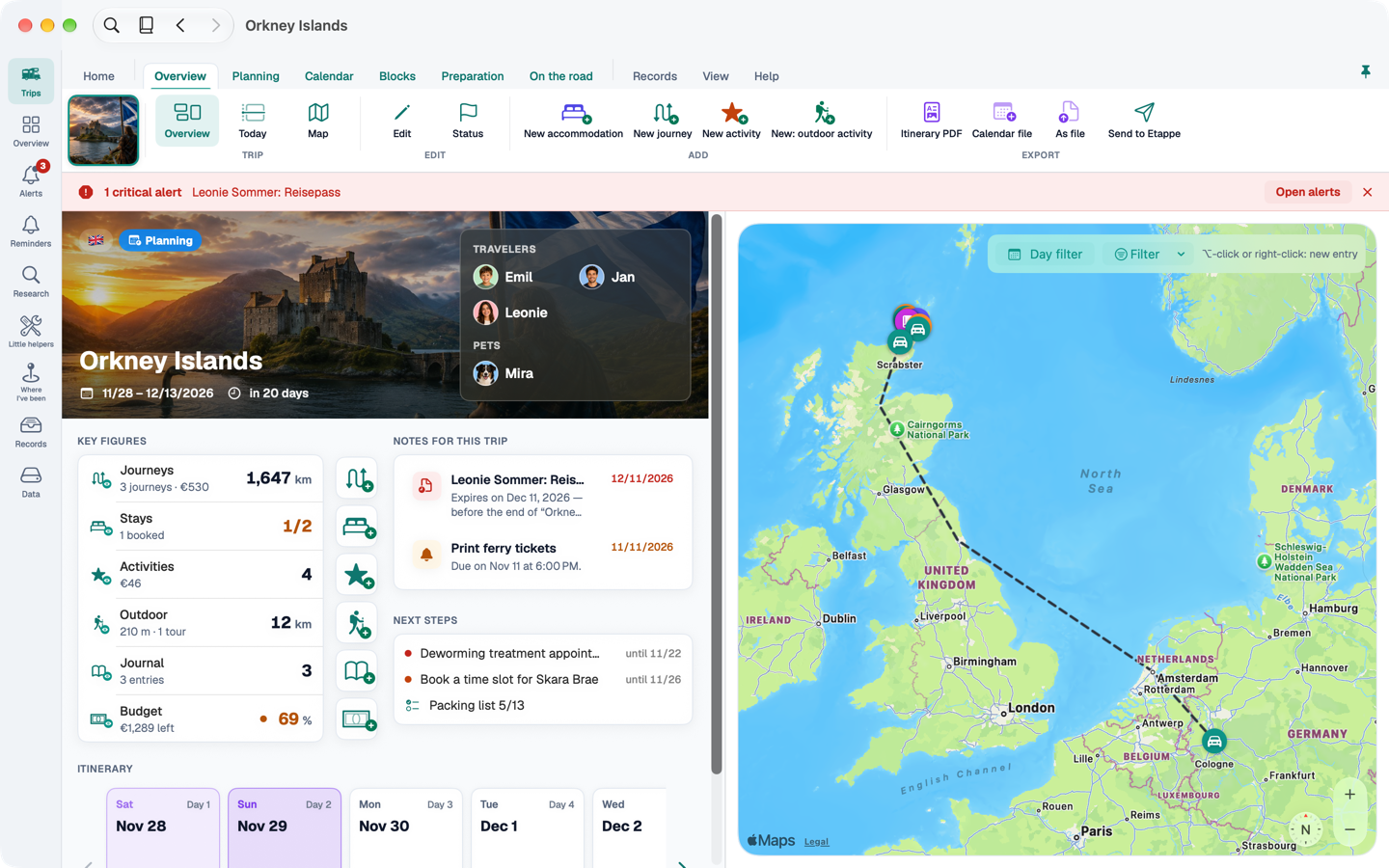
At the top left is the trip's banner with travellers and pets; clicking a name takes you to the records. Below are the key figures: journeys, accommodations, activities, outdoor activities, journal and budget. Clicking a figure shows the section, the plus next to it creates a new entry. Beside them are the trip's notes and next steps. On the right, the map shows every place of the trip, filtered by type and day.
Below follows the itinerary: one card per day with the day theme, the day's entries and the night's accommodation. If accommodation is missing, it says so in orange. Hover over a day and its places light up on the map; a click shows the day in the calendar.
5.2 Sections with places#
Accommodations, journeys, activities, outdoor activities and the journal show the list on the left and a map on the right. Hover over a row and its place lights up; clicking a marker selects the row, a double-click opens the form window.
5.3 The trip map#
On the trip's map – in the “Map” section and in the overview – ⌥-click or right-click creates a new entry at that spot – accommodation, activity, outdoor activity or journal. For a journey, Etappe asks whether the point is the start or the destination and takes the other end with your next click.
5.4 The compact layout#
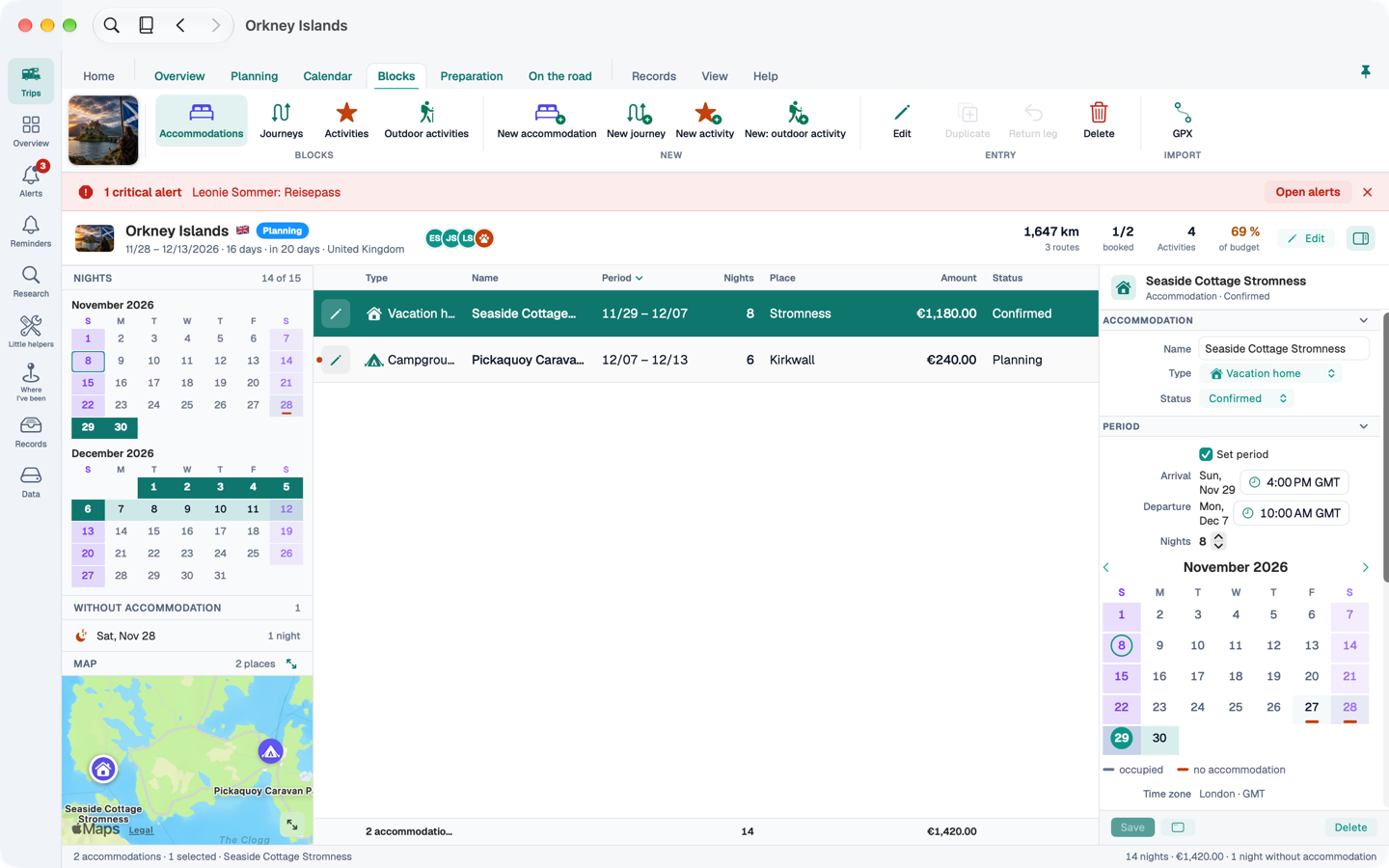
If you have many entries, switch to the compact layout in the “View” band (or in the View menu). It applies to accommodations, journeys, activities, outdoor activities, journal, budget, to-dos, packing list and reminders, and also to the overview and the calendar:
- On the left, filter aids – depending on the section a month grid with the nights, groups or the map.
- In the middle, a table. Click a column header to sort. To-dos, packing list and reminders are ticked off right in the row.
- On the right, the inspector (⌥⌘I): it edits the selected entry without opening a window. If you change rows with unsaved changes, Etappe asks: Save, Discard or Cancel.
What the inspector doesn't show – photos, receipts, GPX, participants, documents – you edit in the form window. A double-click or the pencil at the start of the row opens it. The budget lists every booking of the trip: accommodation, journeys with tolls, activities with costs, and budget items.
You can drag photos into the journal in the compact layout: each photo opens a new entry with the time it was taken, time zone and place. From Photo in the “On the road” band does the same.