 Etappe
8. Backup and switching devices#
Etappe on Android doesn’t sync between devices. Your data lives on the phone – it is backed up through a file and, if turned on, through Android’s own backup.
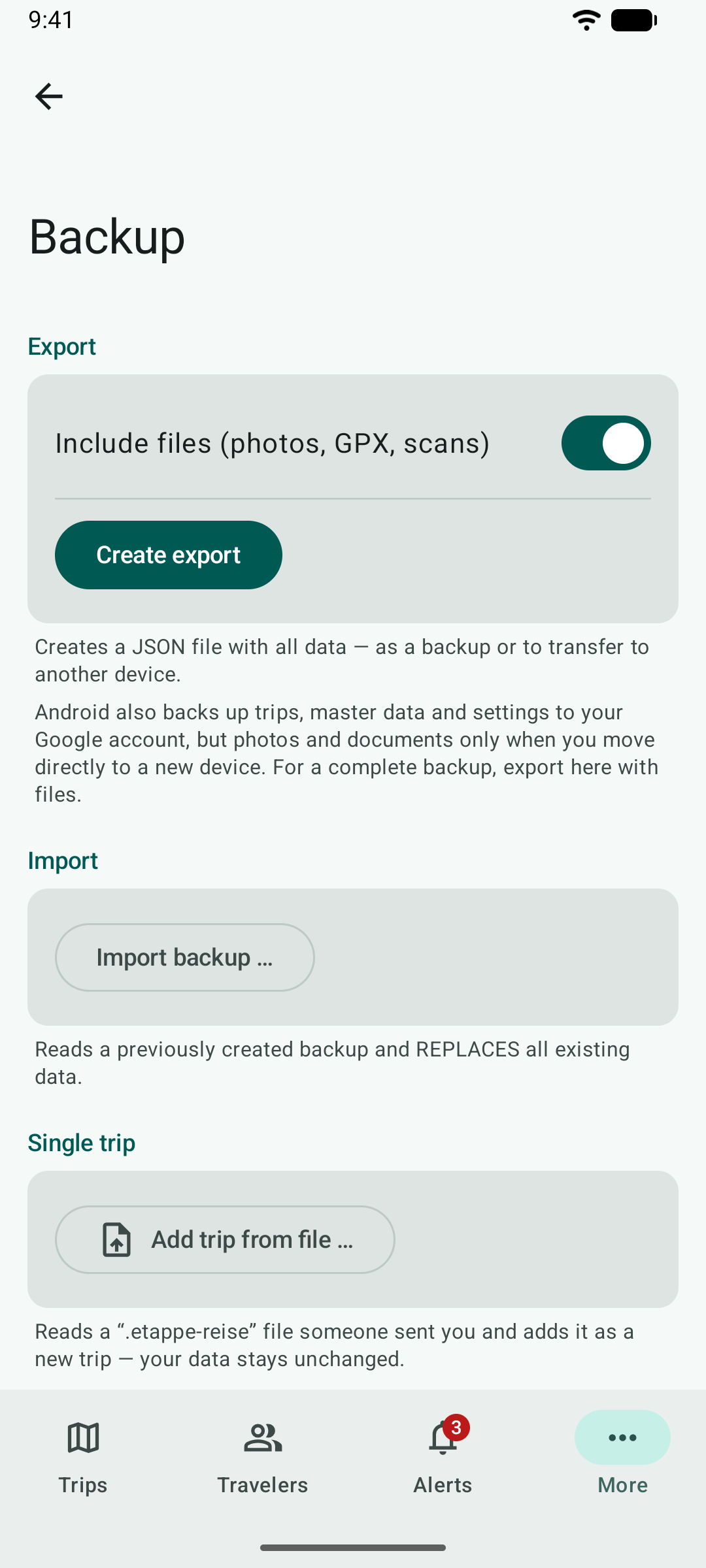
8.1 Export#
Under More → Backup, Create export creates a JSON file with all data; you choose where it goes. With Include files the photos, GPX files and scans come along – the file gets bigger but is complete. The format is the same as on iPhone and iPad (Backup).
8.2 Import#
Import backup … reads a backup and replaces all existing data – Etappe asks first. If you only want to add a single trip, use Add trip from file … (Sharing and exporting).
8.3 What Android backs up by itself#
If backup to Google is turned on on the phone, Android backs up Etappe’s trips, master data and settings to your Google account. Photos and documents are not included; they only come along when you move directly from phone to phone. The PIN of the app lock is never backed up. Etappe itself sees nothing of this backup. For a complete backup, export here with files.
8.4 Moving to a new phone#
- Android to Android: When you set up the new phone, Etappe comes along with its data through Android’s backup. To be safe, also create an export with files and import it on the new phone.
- iPhone to Android: On the iPhone, create an export with files under More → Backup, bring the file to the Android phone (for example through Google Drive) and read it in here with Import backup ….
- Android to iPhone: the same the other way round.
You bring the full version along on the same Google account with Restore Purchases (Installing, trial and purchase).