 Etappe
7. Sharing and exporting#
Everything Etappe puts out is created on the phone and goes through Android’s share menu wherever you send it – to an email, a messenger, Google Drive or the printer. Etappe itself uploads nothing.
7.1 A trip’s share menu#
The share icon at the top right of a trip offers:
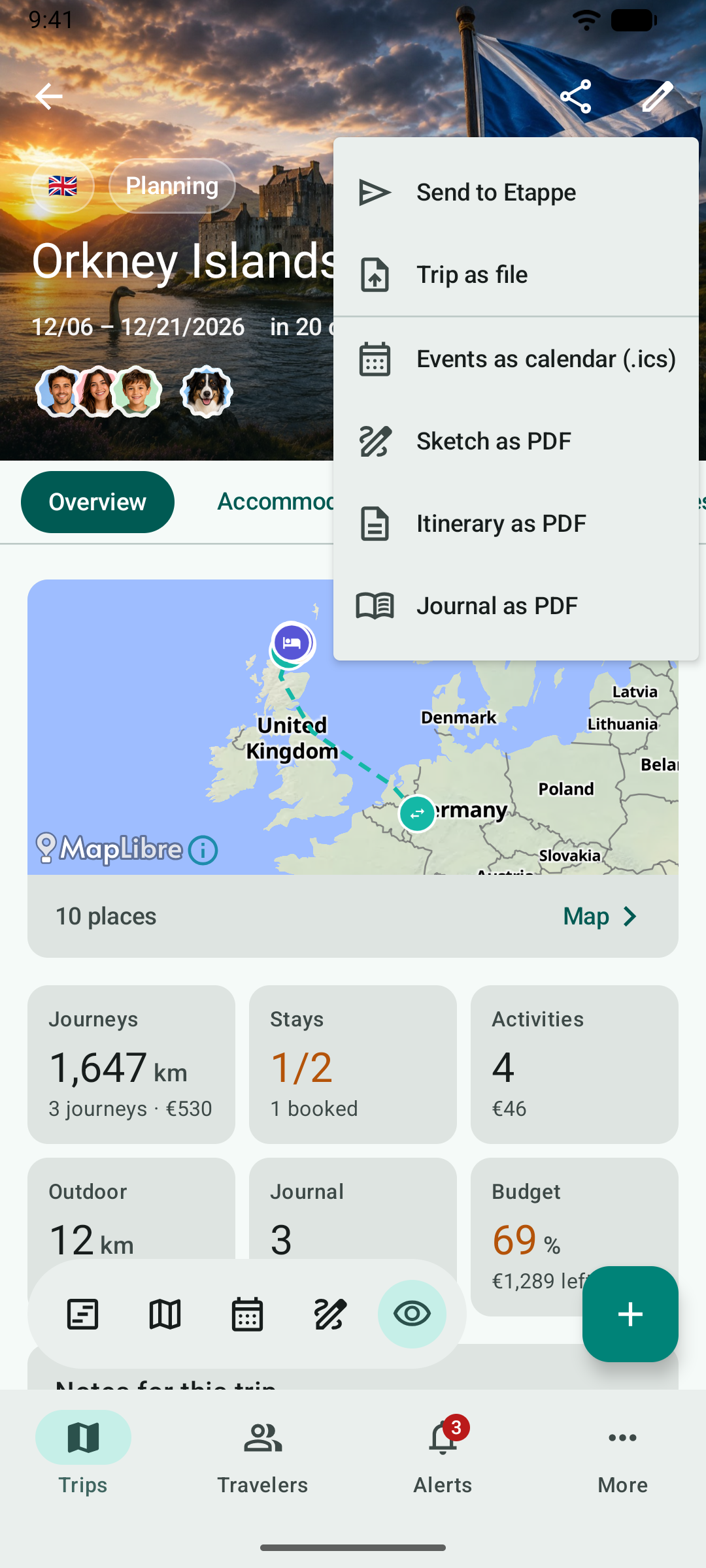
| Entry | What you get |
|---|---|
| Send to Etappe | The trip as a template for the “Load from Etappe” catalog – see below |
| Trip as file | An .etappe-reise file for travel companions or as a template |
| Events as calendar (.ics) | All of the trip’s events for any calendar app |
| Sketch as PDF | The sketch with its days and blocks |
| Itinerary as PDF | The trip’s plan, optionally with marked booking receipts |
| Journal as PDF | The journal with photos |
You share the packing list as a PDF in its own section – complete or for one person. What the PDFs contain is shown in the main manual under Exports and printouts.
You mark booking receipts for the itinerary on the documents of an accommodation, journey, activity or outdoor activity: press and hold the document and choose Mark as booking receipt.
7.2 Trip as file#
To travel companions contains the trip with all events, bookings and costs. As a template turns events into trip days (Day 1, Day 2 …); booking numbers, notes, ratings and the cover picture stay with you, places near your home are left out. What never goes along – journal, documents, budget, packing list and the travelers themselves – the app shows before creating the file.
You open a received .etappe-reise file directly from Drive, Gmail or Files (“Open with” or sharing to Etappe) or under More → Backup → Add trip from file …. Etappe shows what the file contains first and adds it as a new trip; the rest of your data stays unchanged. Etappe on Android understands trip files from the iPhone and vice versa.
7.3 Send to Etappe#
With Send to Etappe you suggest a trip for the “Load from Etappe” catalog. Etappe creates the template, you can say how you’d like to be credited, and you confirm your consent. Then your email app opens with the file attached – it is only sent from there, by you.