 Etappe
4. A trip#
When you tap a trip, its overview opens: at the top the trip’s picture with status, dates and travelers, below it a small map, tiles for journeys, accommodations, activities, outdoor activities, journal and budget, notes from the alerts and the next steps. What each section contains is described in the main manual starting with Creating a trip.
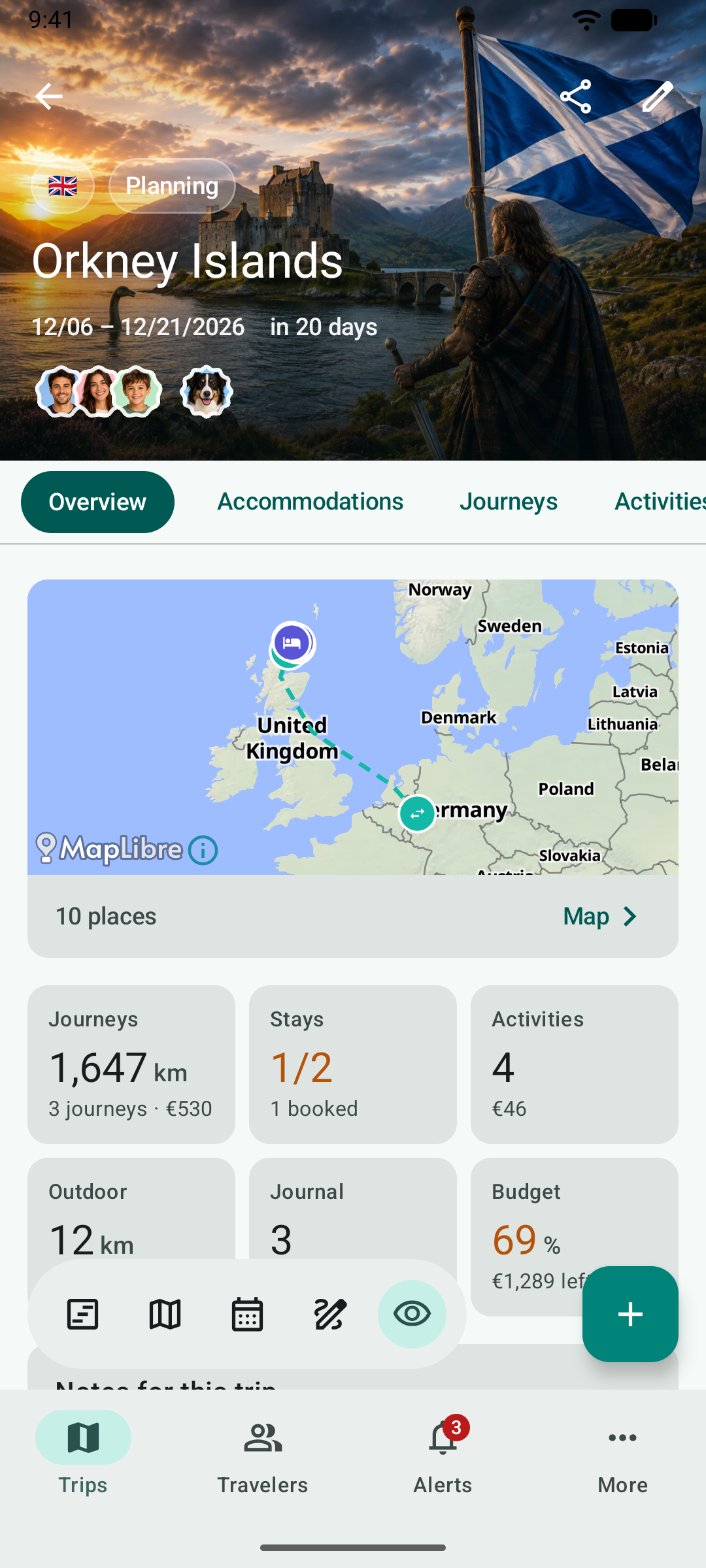
4.1 Tabs#
Below the picture are the tabs: Overview fixed on the left, next to it the sections to swipe through – accommodations, journeys, activities, outdoor activities, budget, journal, packing list, to-dos, checklist, reminders, research and documents. When you scroll down, the tabs stay at the top and the trip’s title moves into the bar.
At the top right are Share (Sharing and exporting) and Edit. Tapping the flags shows the trip’s countries; tapping the travelers takes you to Travelers.
4.2 The toolbar#
The toolbar floats at the bottom left. It opens the views that need the whole screen:
| Icon | View | In the main manual |
|---|---|---|
| Timeline | Today – the day with a time column in local time | Today |
| Map | The trip’s map (Maps and places) | Map |
| Calendar | Agenda of all days and day view | Calendar and day view |
| Pen | The sketch | Sketch |
| Eye | The Sections sheet | – |
When you scroll down, the toolbar makes room and comes back when you scroll up.
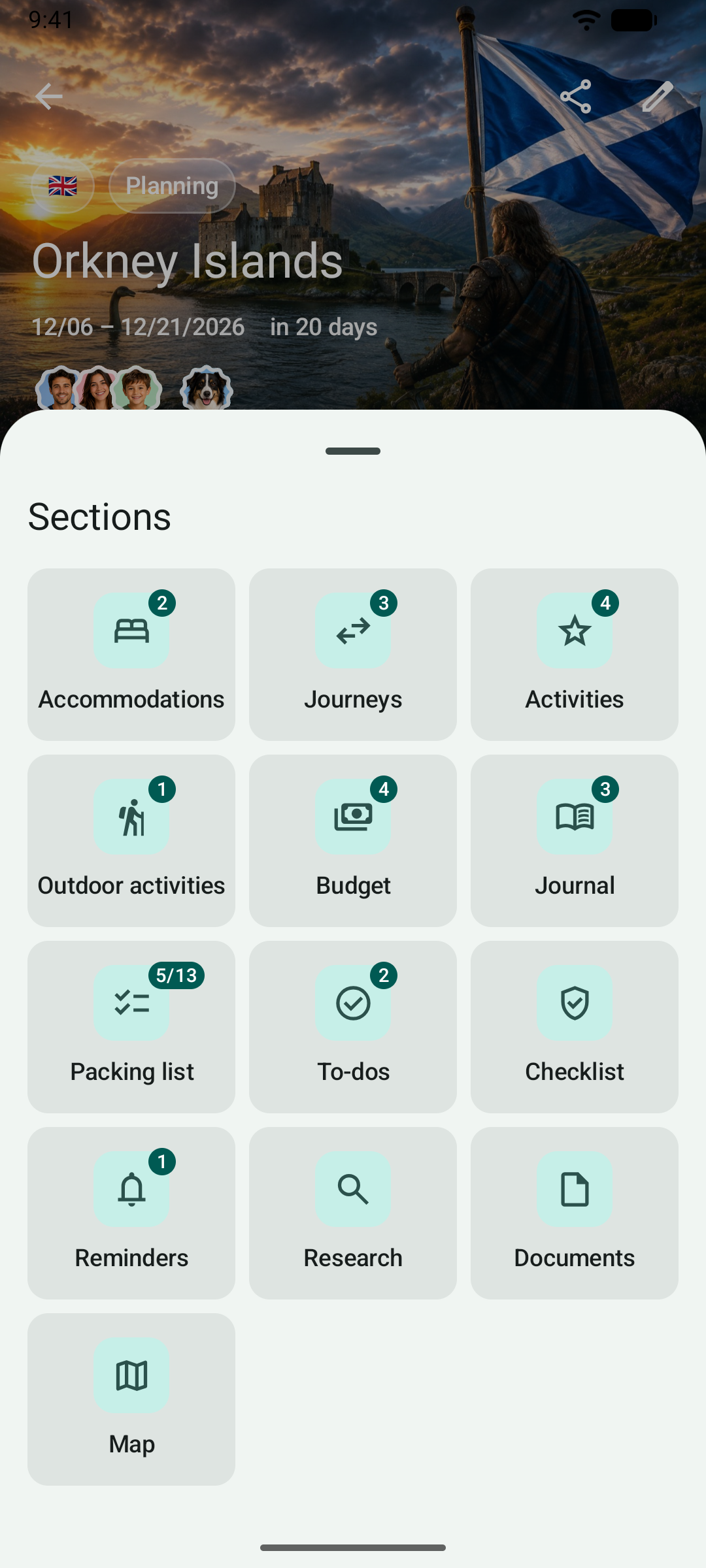
4.3 The Sections sheet#
The eye shows all sections of the trip at a glance, each with the number of its entries – for the packing list, for example, “5/13” for five of thirteen packed. A tap opens the section.
4.4 Calendar and sketch#
In the calendar, every entry has a menu with Edit, Move to …, 30 min longer, 30 min shorter and Delete. In the sketch, you drag blocks by the handle on the right to another place; a block’s menu duplicates it. Next to the date of a day you set its day theme.
4.5 Duplicating a journey or creating the return leg#
Press and hold a journey in Journeys – or tap the menu at the top right of a journey’s details – and you find Duplicate and Create return leg. A sheet asks for the departure: when duplicating, the original’s departure is preset; for the return leg, the last day of the trip at the same time; you can also go without a date. The return leg swaps start and destination and reverses the waypoints. Booking number, receipts, budget items and recorded routes stay with the original; the new journey is set to “Planning”. More in the main manual under Journeys.